01Why it is worth doing
An event is announced in a hurry and the page outlives it. Made in one campaign, the page and the post say the same thing, and the page closes on time without anyone remembering to take it down.
02How you get there
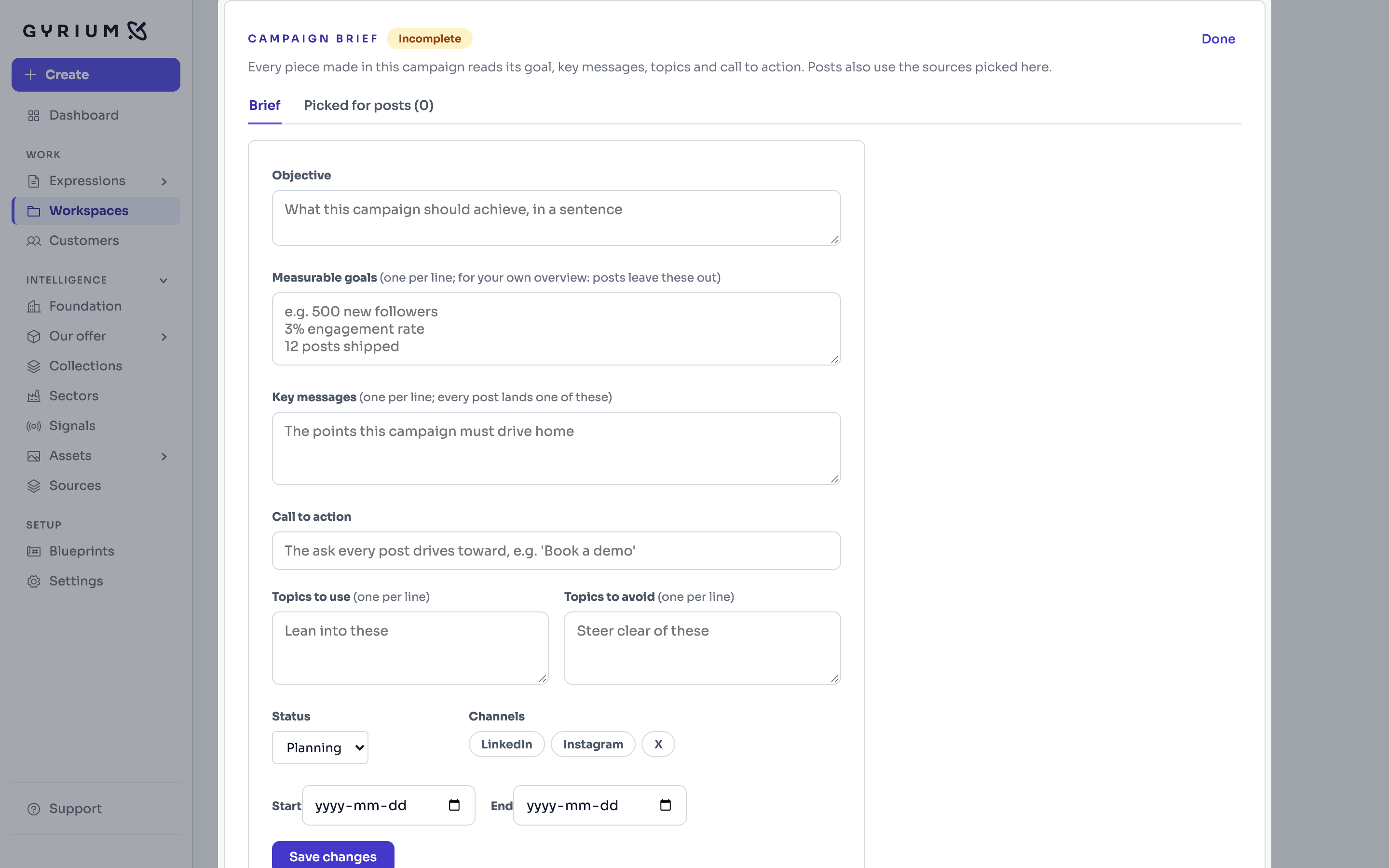
- Make a campaign workspace for the event, and fill in its campaign brief: the goal in one sentence, the key messages, the call to action, and the topics to use and to avoid.
- Add the programme to the campaign as a source, with one line saying what it is. Use the real details: a date or a name still to be filled in is left out, because Gyrium invents nothing.
- From inside the campaign, start a web page for the event and fill in its brief: who it is for, the language, and the name of the event, which becomes the page's title. Gyrium fills in the message from the sources and the campaign brief; check it, and change what is wrong.
- Approve the argument the page will make, then review the page block by block, on desktop and on mobile. It ends with a registration form; to get each registration by email too, give the form an address to send it to.
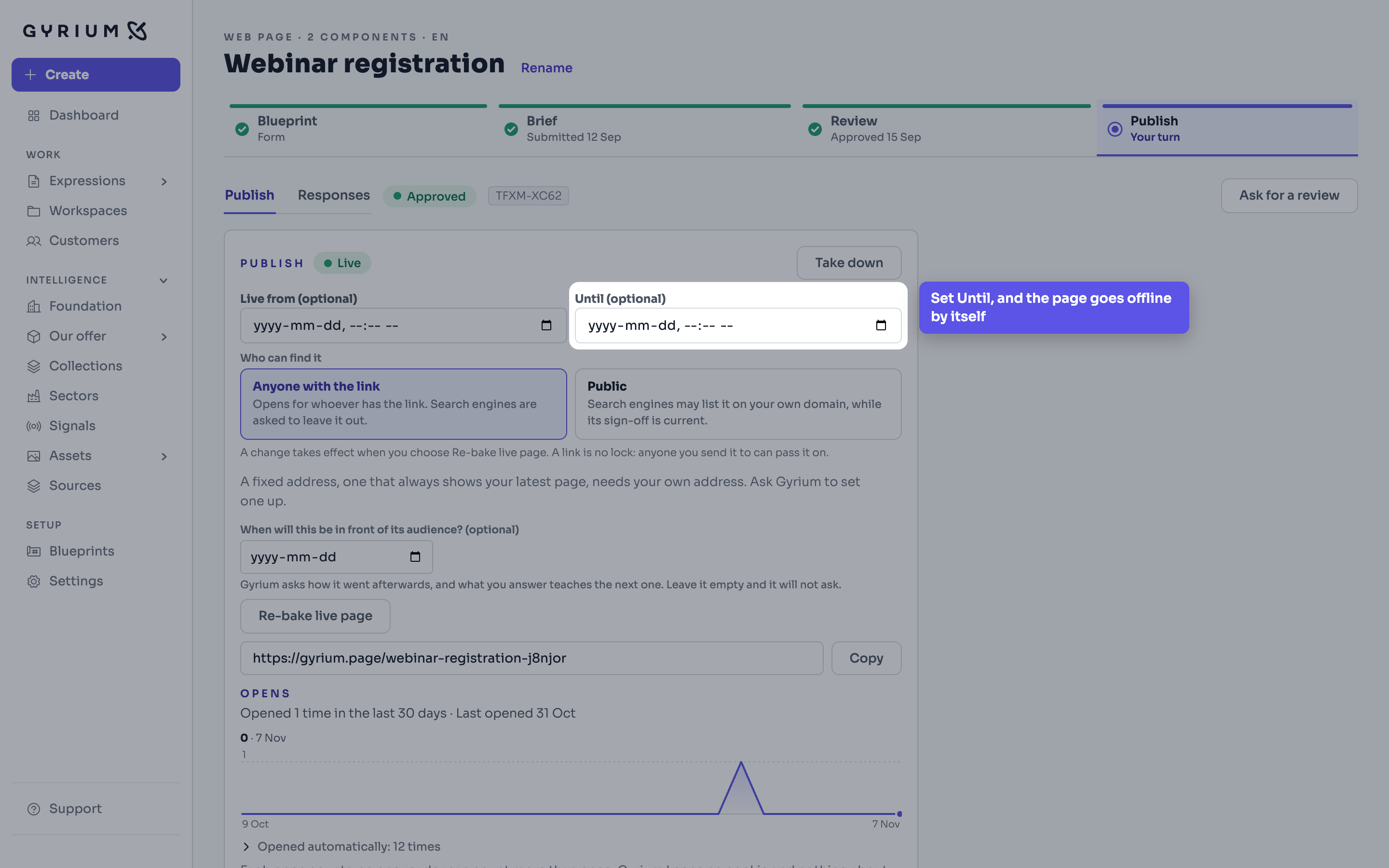
- Sign the page off, then publish it. Set the end time under Until, and the page goes offline by itself once the event is over. Copy its link.
- Make the announcement post in the same campaign. Check the image and the caption, sign it off and download it.
- Post it, put the link to the registration page where your readers will click it, and mark the post as posted in Gyrium.
- Registrations arrive under Responses on the page. They are kept for 90 days.
What this uses
Web pages
Publish web pages and landing pages, with embedded forms that collect responses, composed from your knowledge and in your brand.
Workspaces
A workspace is one initiative: a project, a customer or a campaign, with everything made for it gathering there on its own.
Social
Social posts composed as designed scenes, with figures, charts and logos drawn in your brand, and channel-native captions and alt text.
Governance
One source of truth. Sourced, isolated, approved, versioned, exportable, and owned by the customer.