01Why it is worth doing
The moment someone in the room wants to hear more is the moment they are looking at your last slide. A code there turns that moment into a name and a question, and the response says which presentation it came from.
02How you get there
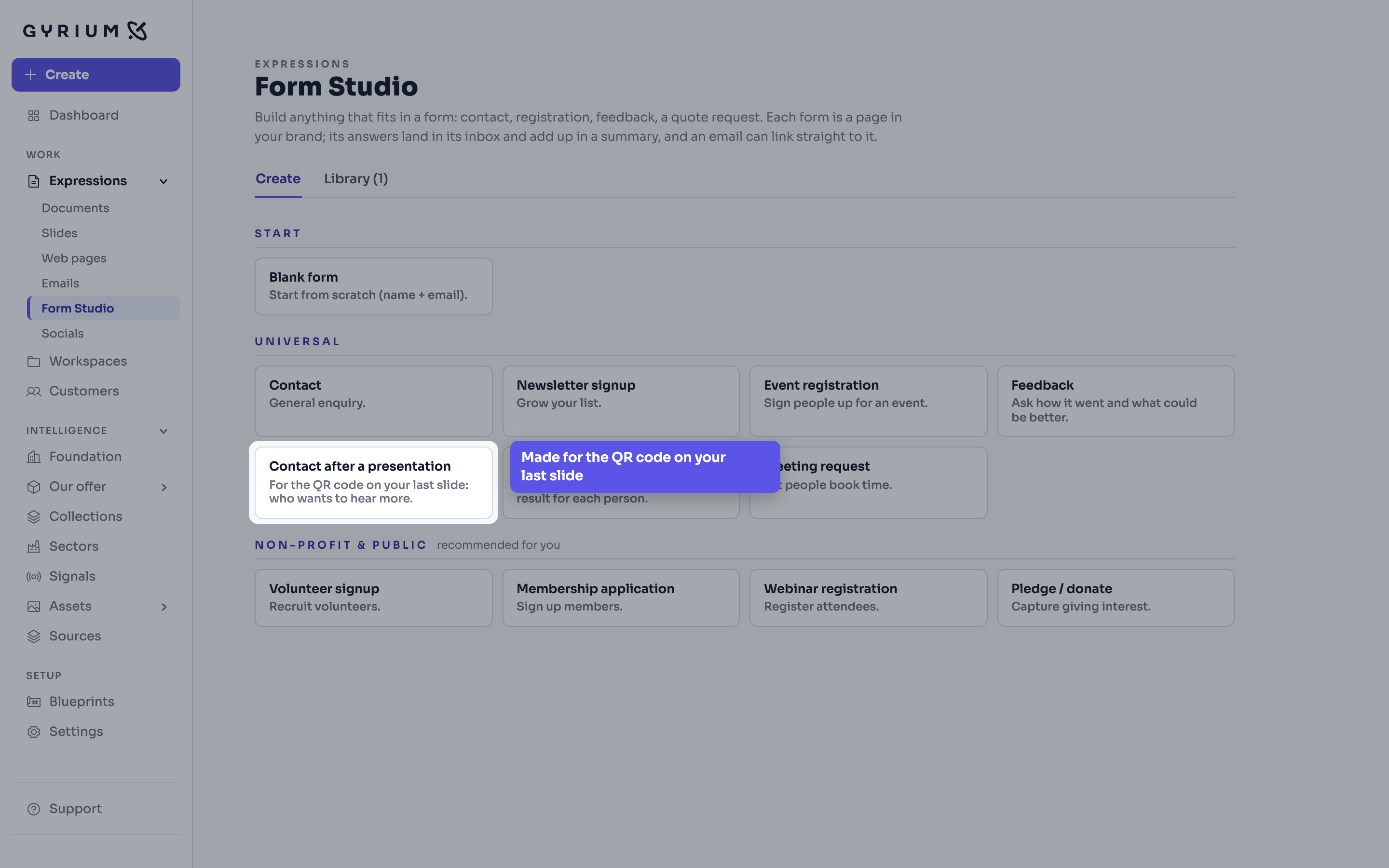
- In Form Studio, under Create, choose the template Contact after a presentation. Give it a title, and under What happens with the answers (optional) say what someone can expect, such as when you will be in touch. Choose Make the form.
- The form asks for a name, an email address, the organization, what someone wants to hear more about, and whether you may call. Change or leave out fields on its Review, then sign it off and publish it.
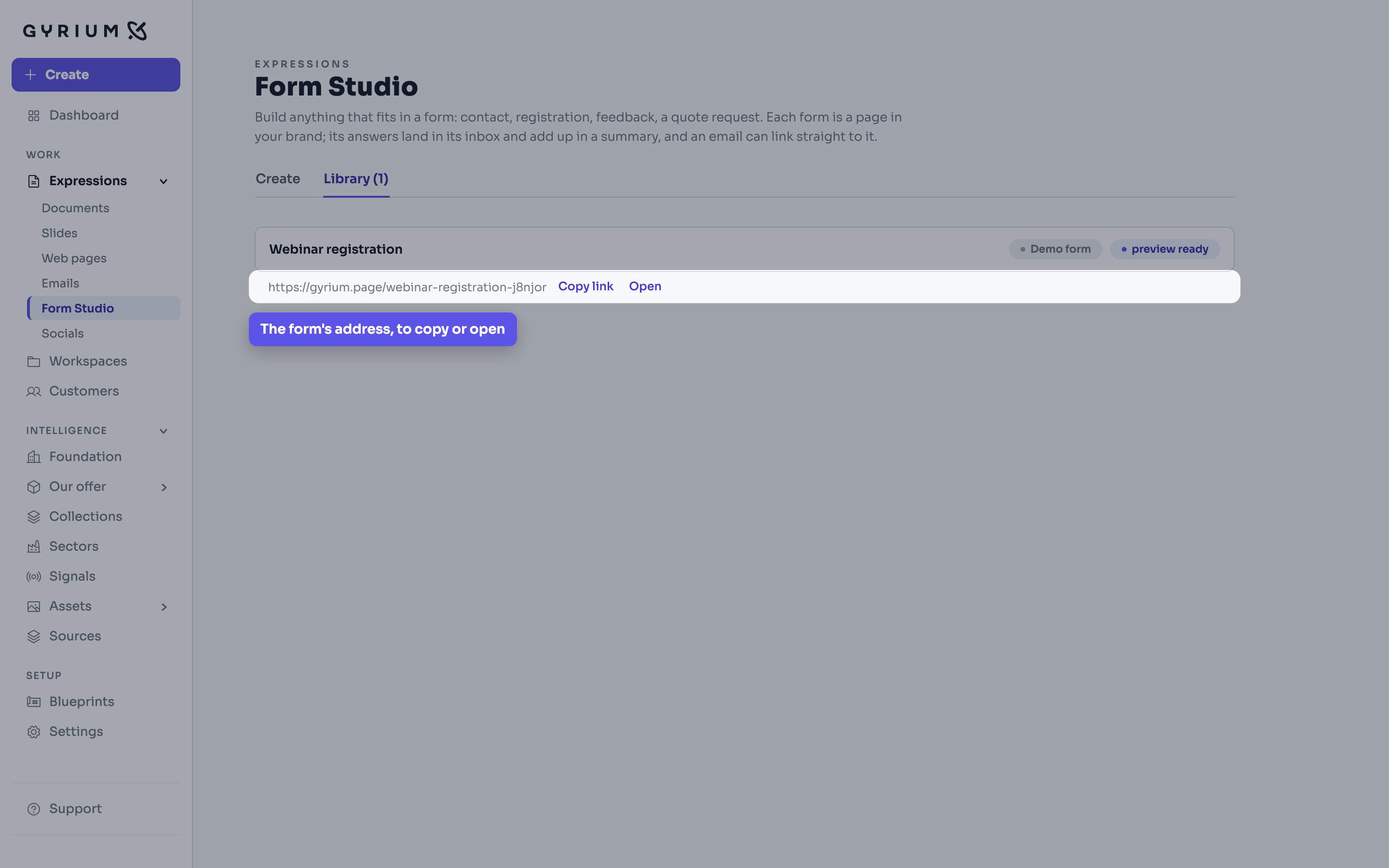
- Form Studio's Library now shows the form's address, with Copy link and Open.
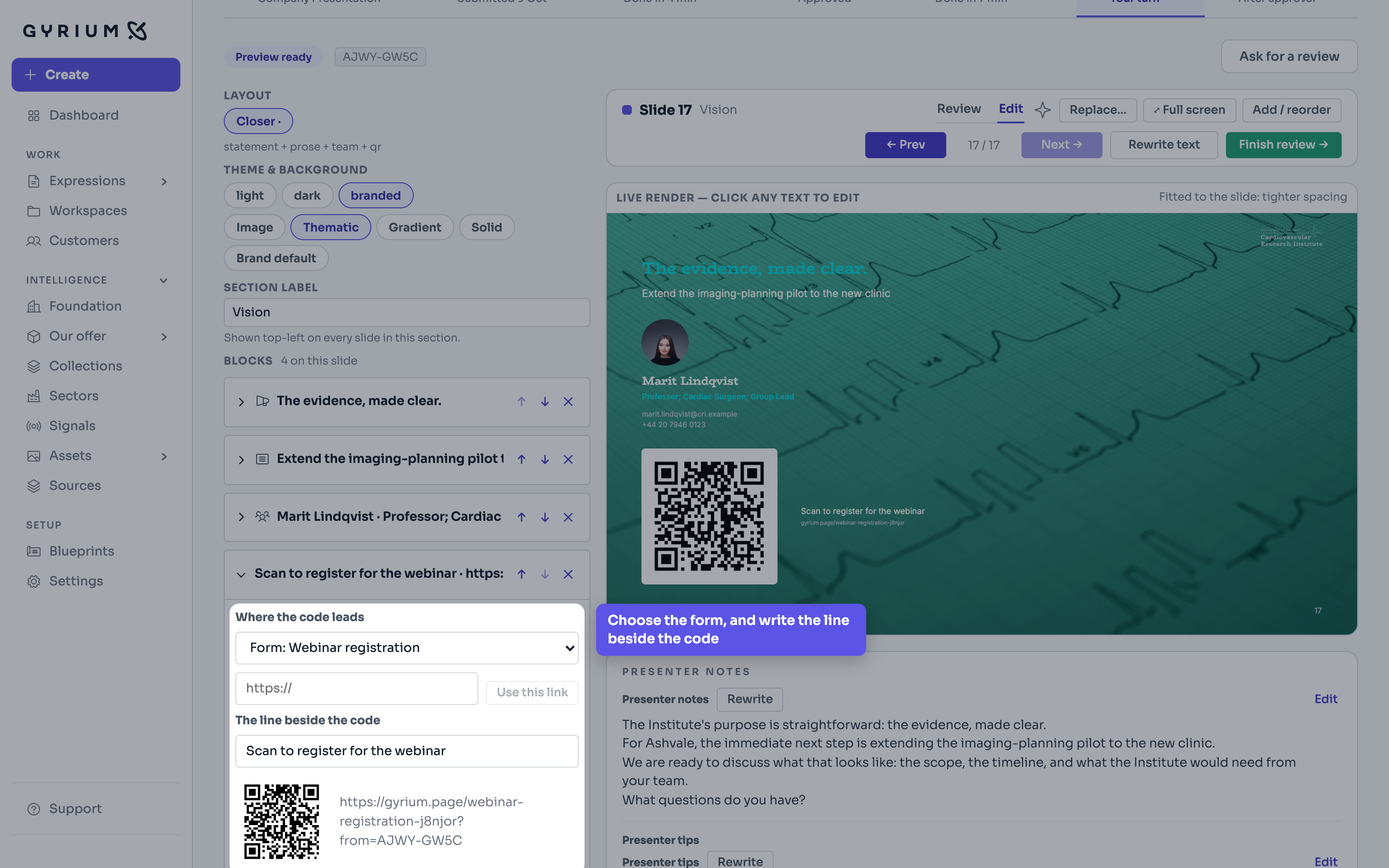
- Open your deck on Review, go to the last slide and choose Edit. Under Add a block, choose QR code.
- Under Where the code leads, choose the form. Your published forms come first, then your other published pages; to lead somewhere else, paste a link and choose Use this link.
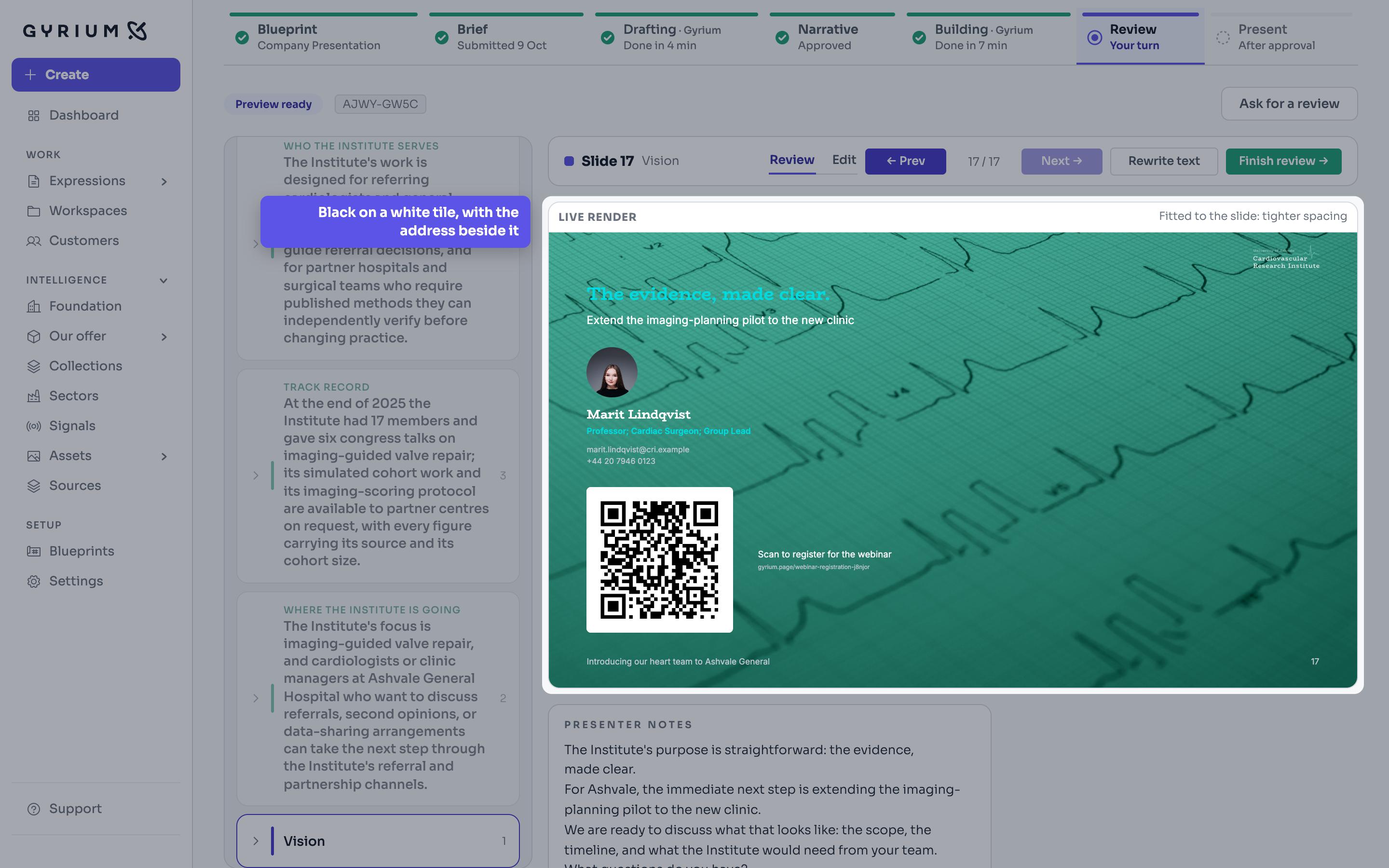
- Write The line beside the code: what the room should do, such as Scan to tell us what you want to hear more about. The code always stands black on a white tile, on any background, with the address beside it for whoever cannot scan.
- Test it before you present: scan the code on your screen with your phone and check the form opens. If the deck was signed off, sign it off again.
- Responses arrive under the form's Responses, each marked Via deck with the deck's code, so you know it came from the room. In the export, that is the from column.
- When the form moves to another address, the QR code shows Address changed: choose the form again and Gyrium makes a new code. To stop taking responses after the event, tick Closed in the form and publish it again.
What this uses
The block editor
Edit an Expression the way you would a page, by moving blocks around. Nothing has a position, which is why the same content still works as a deck, a document, an email and a page.
Web pages
Publish web pages and landing pages, with embedded forms that collect responses, composed from your knowledge and in your brand.