01Why it is worth doing
Answering for the work means seeing what happened, and being able to put it back.
02How you get there
- The actions that are easiest to regret are written to an activity record, with who did them and when: archiving a fact, a persona, a project or a customer; removing a slide, a fact from a collection, or a signal or concept; and some changes to settings.
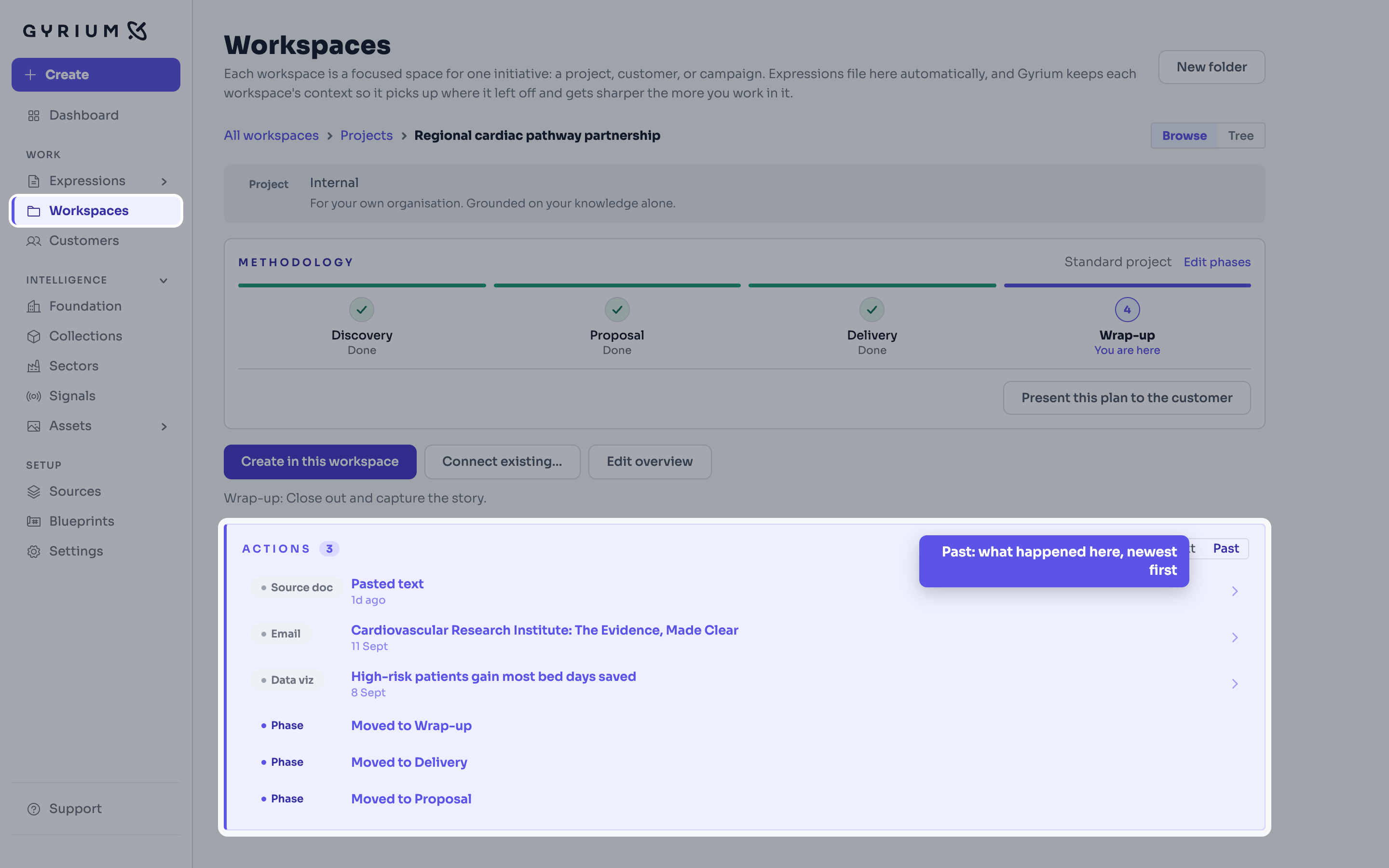
- Open the Past tab to read that record, newest first. Each workspace keeps its own record of what happened in it.
- Put an archive or a removal back from the Past tab within thirty days, and it returns the way it was. Whether you may do so depends on your role.
- When our support team enters your environment, an administrator can see who entered, when and why, under Settings.
- Not every action is recorded yet. What the record holds today is listed above.
What this uses
Governance
One source of truth. Sourced, isolated, approved, versioned, exportable, and owned by the customer.
Filing and share links
Every Expression files itself by context and names itself properly, and shares as a read-only, on-brand link you can revoke.
Organizational Intelligence
The memory of your organization. Everything it knows, captured as sourced facts, structured by a curated taxonomy, and available to everything you make.