Stay useful and top of mind.

10 things you can make for this, each composed from what your organization already knows and rendered in your brand.

01Why this one is hard

Most of the people who will buy from you are not ready today. Staying useful in the meantime is unglamorous and it is where the pipeline actually comes from. It fails when nobody has time to write the next one.

02What you can make
Account update

A web update for one existing relationship: progress since last time, what changed, what comes next, and an easy way to respond.

Web page

Announcement email

A short email announcing news from your own intelligence: what is new, why it matters to the reader, and one clear next step.

Email

Event invitation email

An email inviting your audience to an event: what it is, why it matters to them, the essentials, and one clear button to register or reply.

Email

Event page

A page for an event: what it is, why it matters, the essentials, the program, and one clear way to register.

Web page

Newsletter

A recurring update that keeps your audience close: one useful read in your own voice, every issue.

Email · Web page · Document

Nurture email

A warm follow-up email that keeps a relationship moving: one helpful point in your own voice and a light call to action.

Email

Product feature spotlight

Spotlight a product update: what changed, who it helps, and how to try it.

Email · Social · Web page

Promotion / offer

Put an offer in front of the right people: the deal, why it is worth it, and one clear action.

Email · Social · Web page

Tips & tricks

Teach something useful: practical tips your audience can act on, drawn from your expertise.

Email · Social · Document

Welcome / onboarding

A warm welcome for a new customer: what to expect, how to get started, and where to turn for help.

Email · Web page
03How you get there
  1. Pick the audience and what you want them to keep getting from you.
  2. Gyrium drafts from what your organization already knows, so there is something to react to.
  3. Review it. Correcting a draft is a different task from facing a blank page, and a much shorter one.
  4. Send it from your own sending tool. Gyrium composes and renders; it does not send on your behalf.
  5. What you corrected in review is offered back as a rule for next time, so the next is quicker than the last.
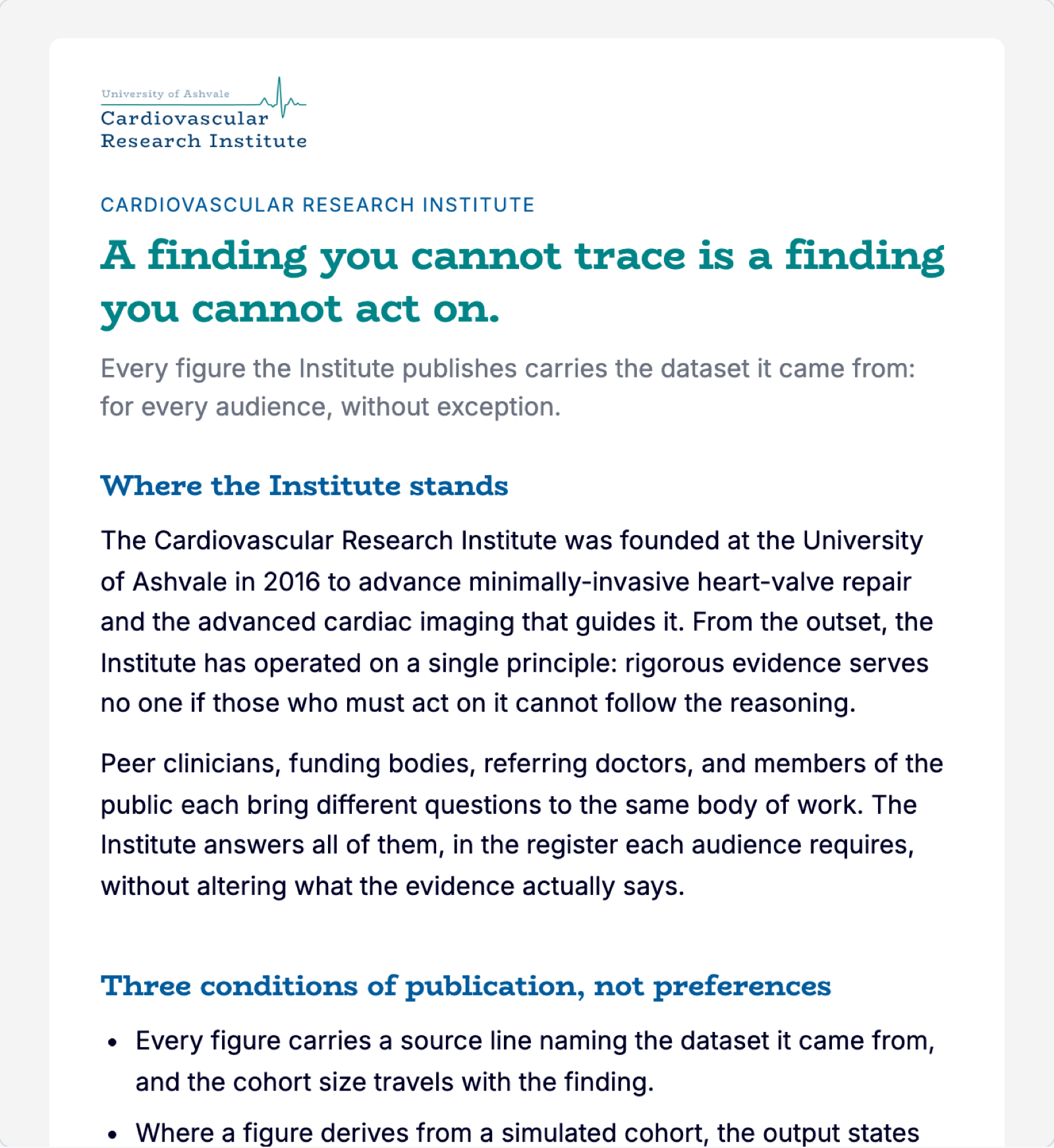
An email with the institute's logo, headline and first sections.
An email · an announcement, as it arrives See the whole email Demo: a fictional cardiovascular research institute, with simulated figures.
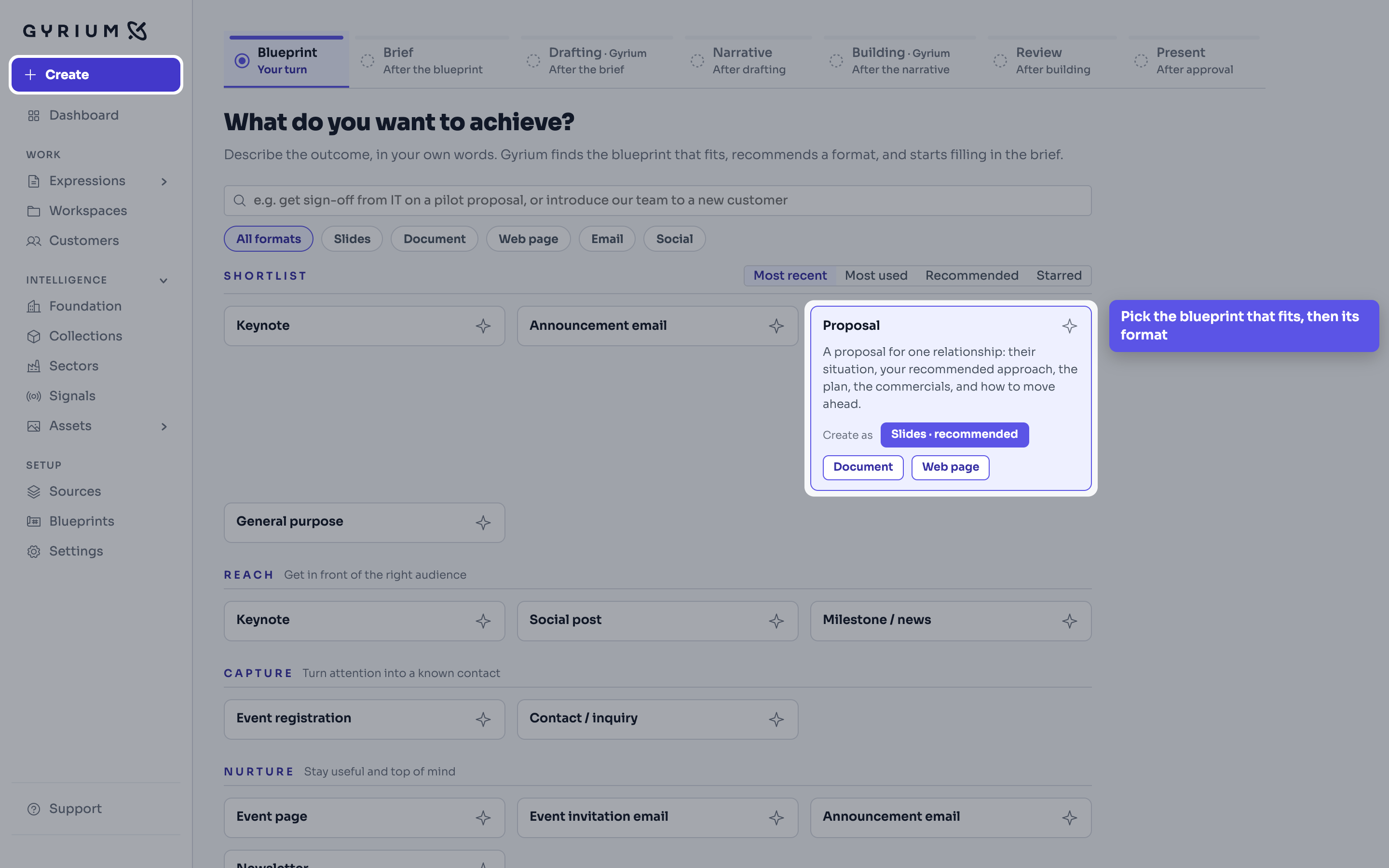
%sCreate, asking What do you want to achieve. The Proposal blueprint is picked out, with Slides recommended, Document and Web page. The Create button in the menu is highlighted. The callout reads: Pick the blueprint that fits, then its format.
Step 1Create · Choosing a blueprintDemo: a fictional cardiovascular research institute, with simulated figures.
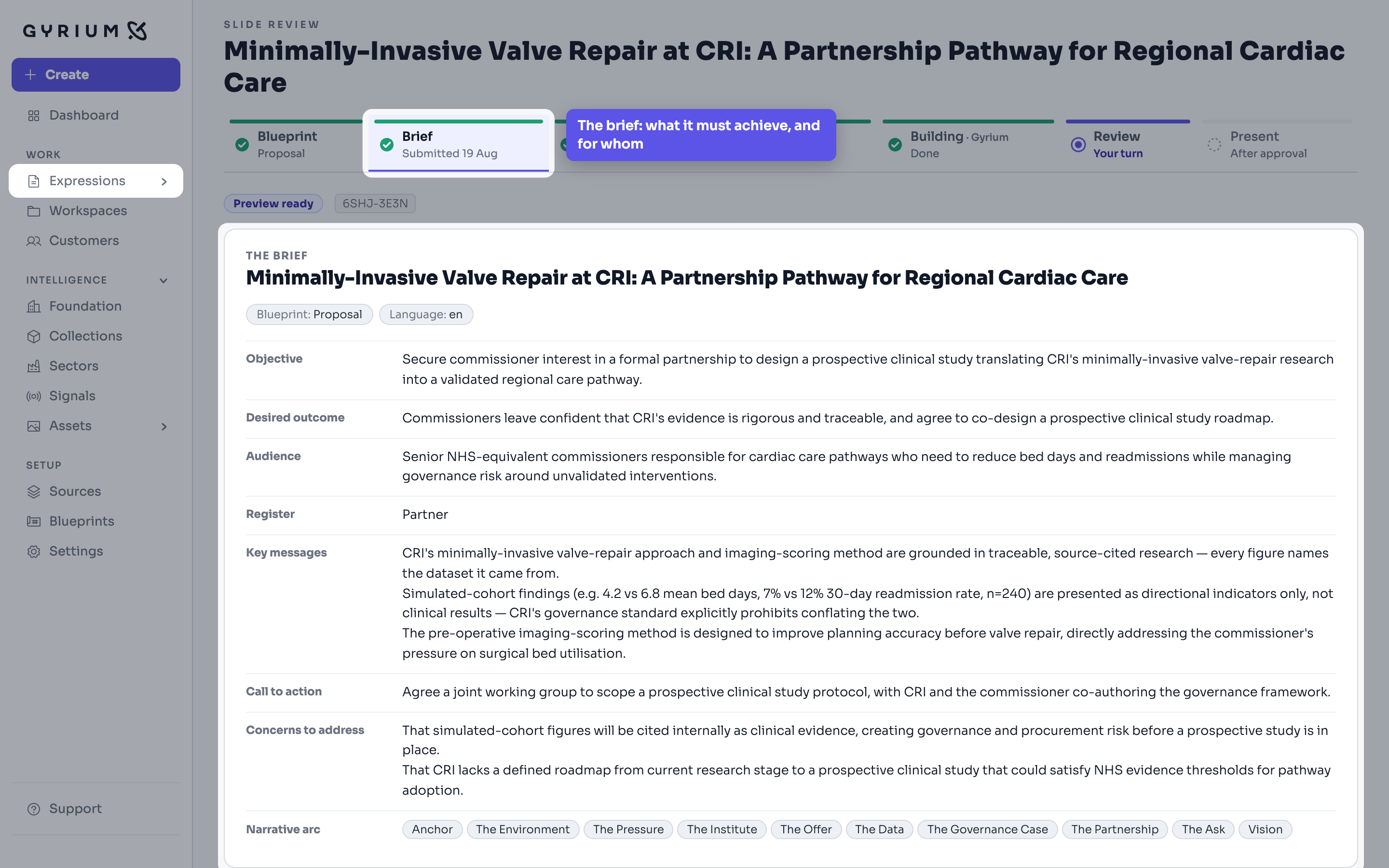
%sA deck's brief: objective, desired outcome, audience, register, key messages, call to action, concerns and narrative arc. The Brief step of the process bar is picked out. The callout reads: The brief: what it must achieve, and for whom.
Step 2A deck, Brief · The briefDemo: a fictional cardiovascular research institute, with simulated figures.
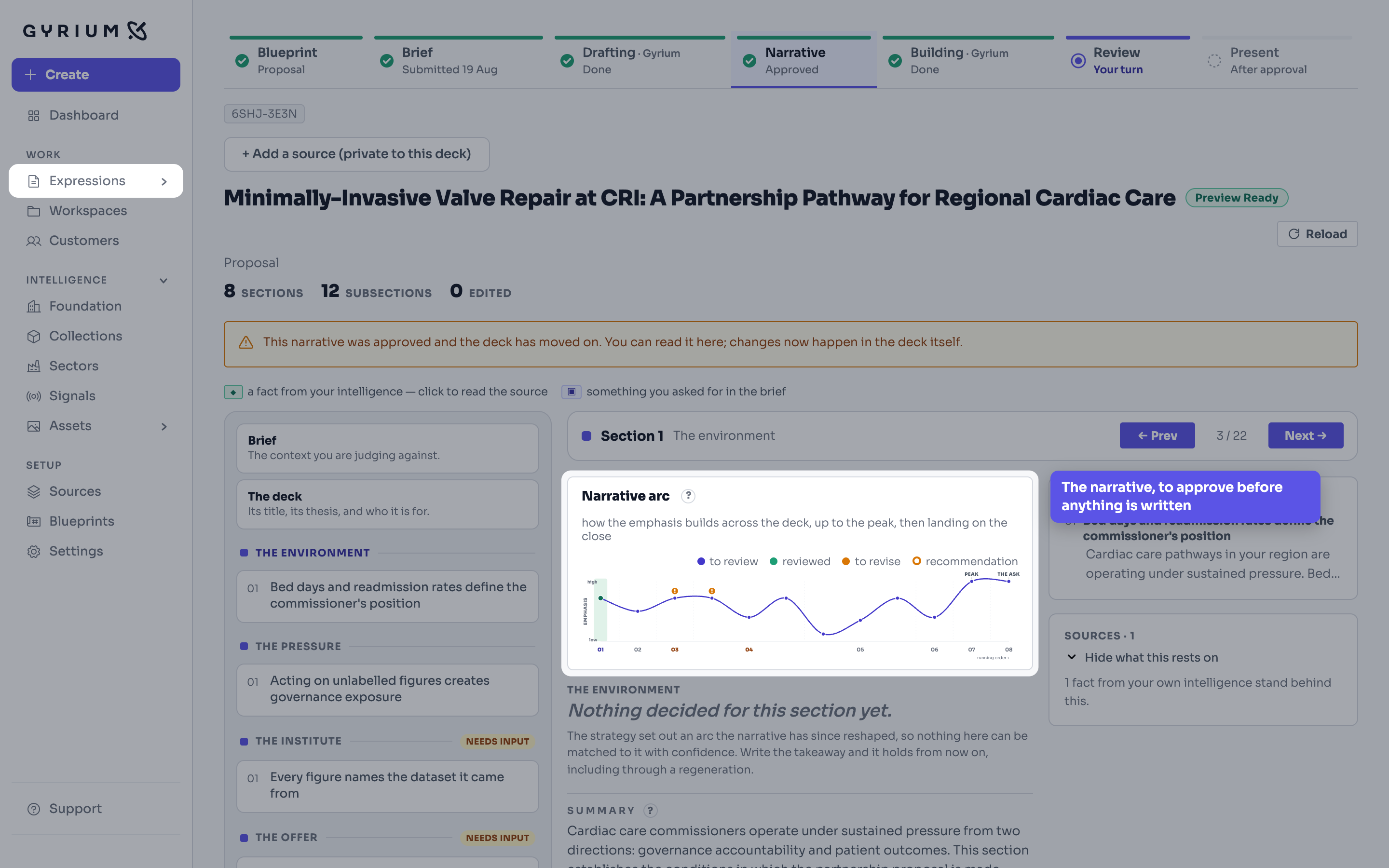
%sThe deck's narrative, section by section. The Narrative arc chart is picked out. The callout reads: The narrative, to approve before anything is written.
Step 3A deck, Narrative · The narrativeDemo: a fictional cardiovascular research institute, with simulated figures.
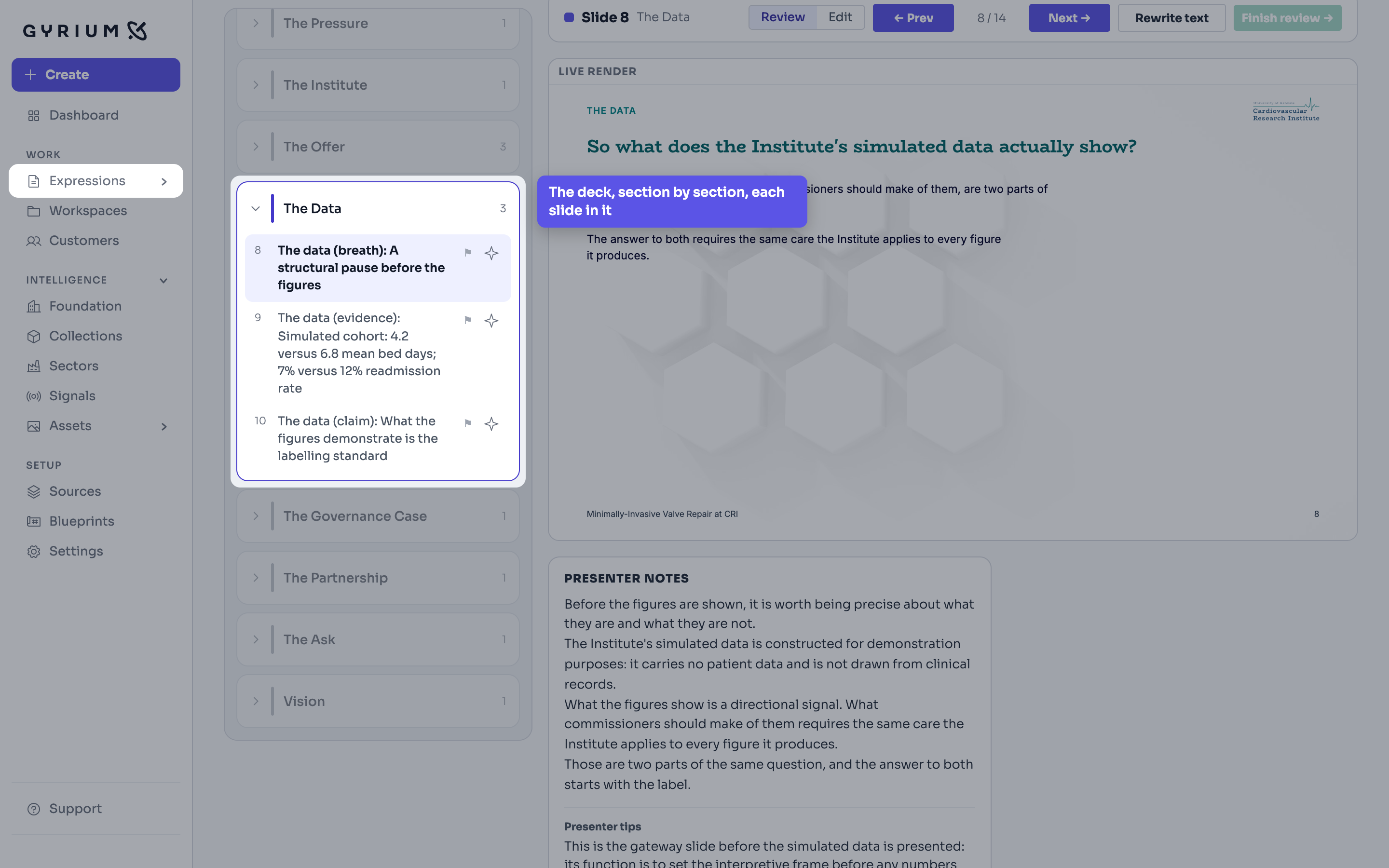
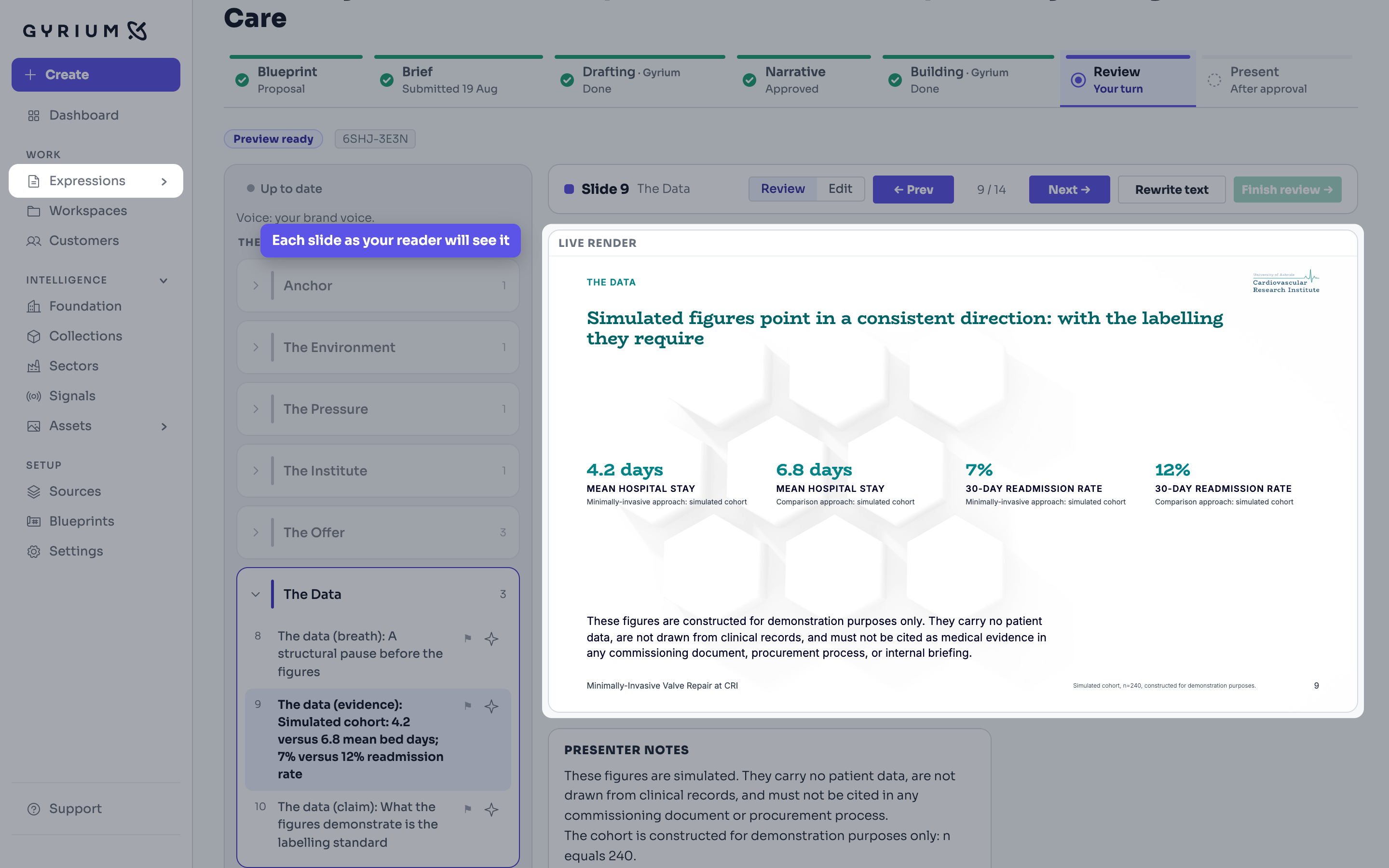
%sThe deck in review, with the section The Data opened and picked out, listing its three slides. The callout reads: The deck, section by section, each slide in it.
Step 4A deck, Review · The deck, section by sectionDemo: a fictional cardiovascular research institute, with simulated figures.
%sThe deck in review on slide 9. The live render of the slide is picked out, with four figures labelled as a simulated cohort. The callout reads: Each slide as your reader will see it.
Step 5A deck, Review, one slide · One slide in reviewDemo: a fictional cardiovascular research institute, with simulated figures.
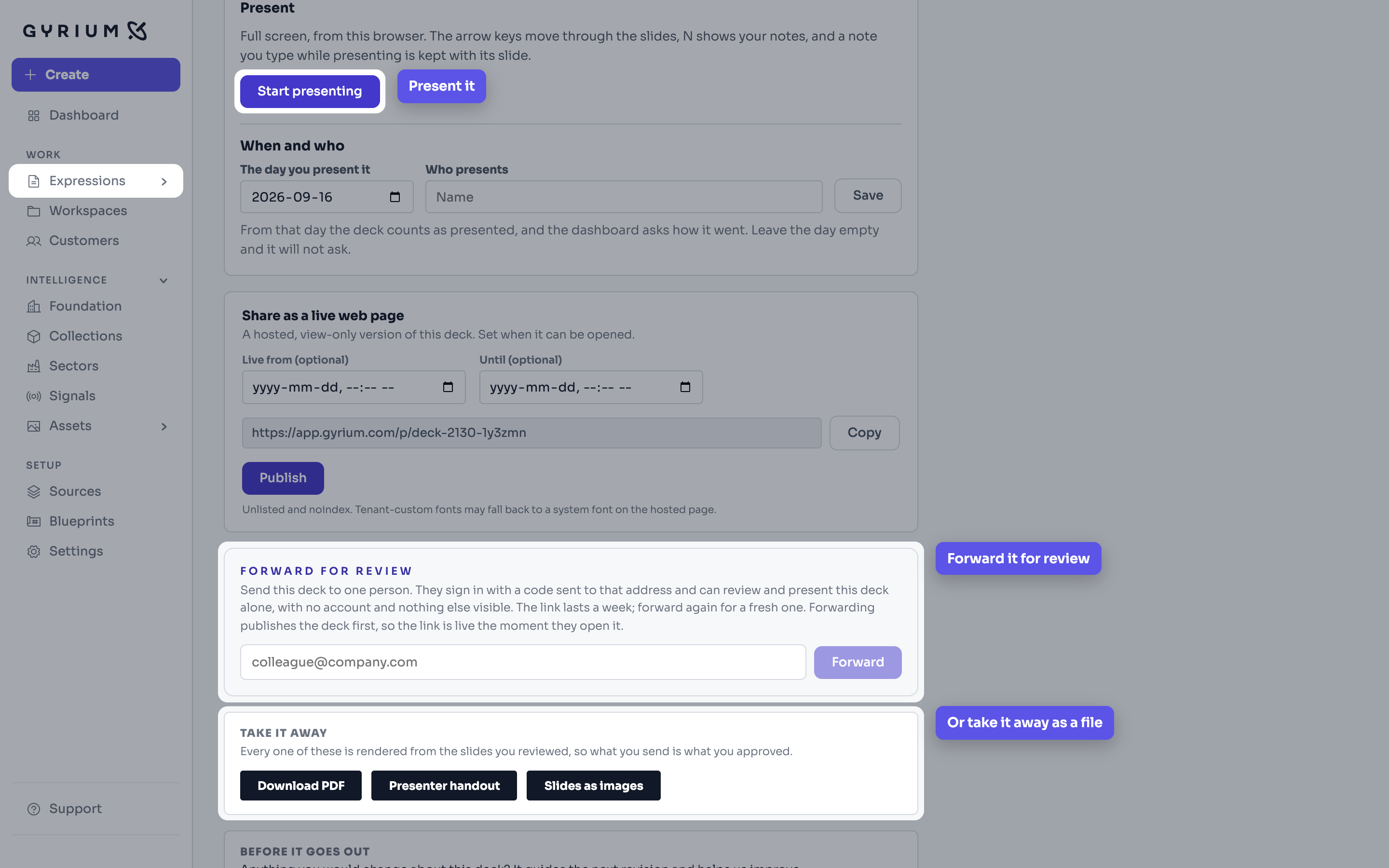
%sThe last step of an approved deck. Three parts are picked out: Start presenting, with the callout Present it; Forward for review, with the callout Forward it for review; and Take it away, with the callout Or take it away as a file.
Step 6A deck, Present · Present, forward, or take it awayDemo: a fictional cardiovascular research institute, with simulated figures.
What this draws on

See it hold your own work.

The pilot takes a small number of organizations at a time. Bring what you already have.