Describe who you are talking to

The people you are writing for, described well enough to write to.

In a pilot, we set this up with you. Send us what you already have and we build your foundation together. This guide is for when you want to add more yourself. Apply for the pilot

01Why it is worth doing

Writing aimed at nobody in particular reads like it. Naming the reader is the difference between competent and persuasive.

02How you get there
  1. Let Gyrium propose personas from what it already knows, or write your own.
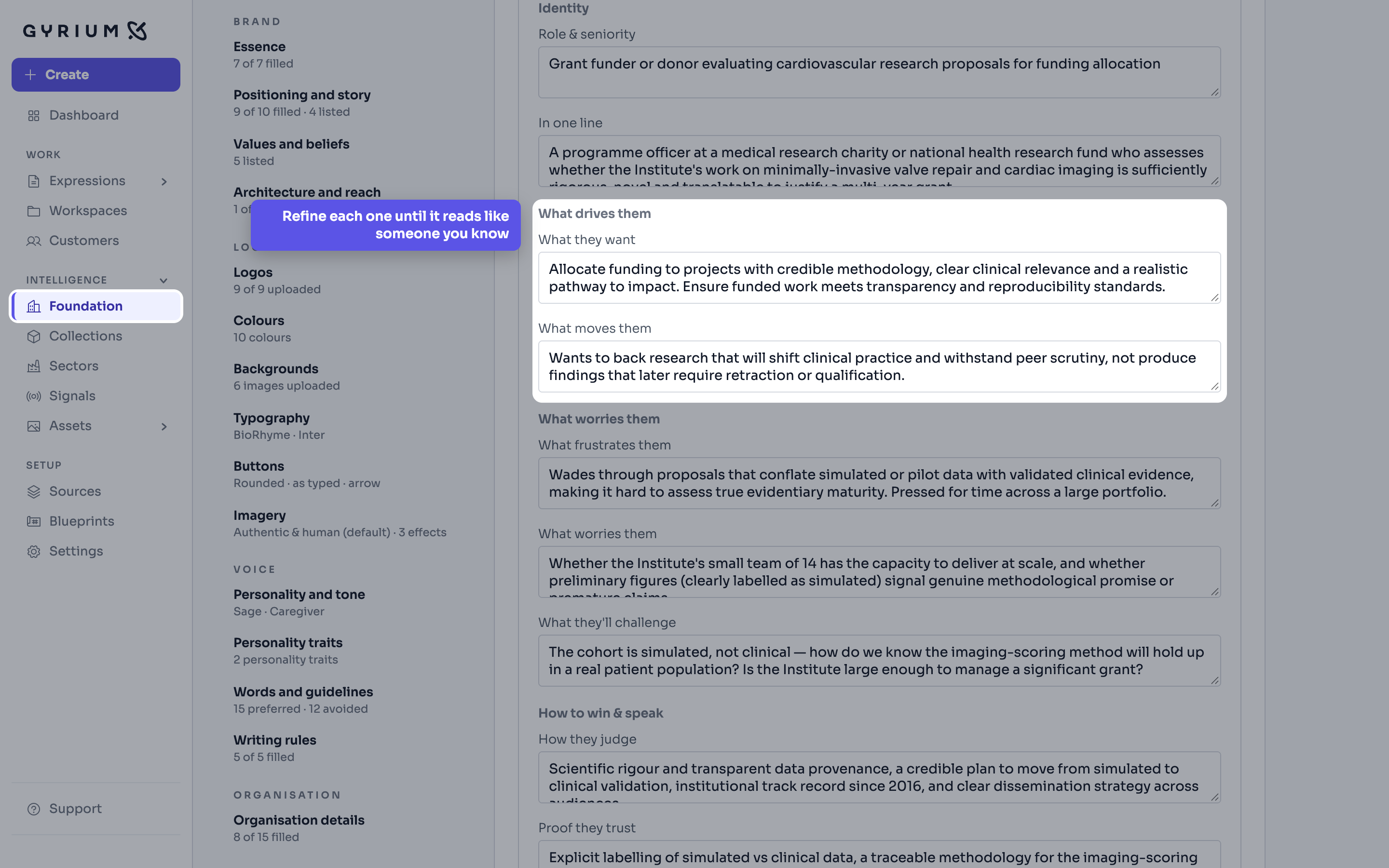
  2. Refine them until they read like people you recognize.
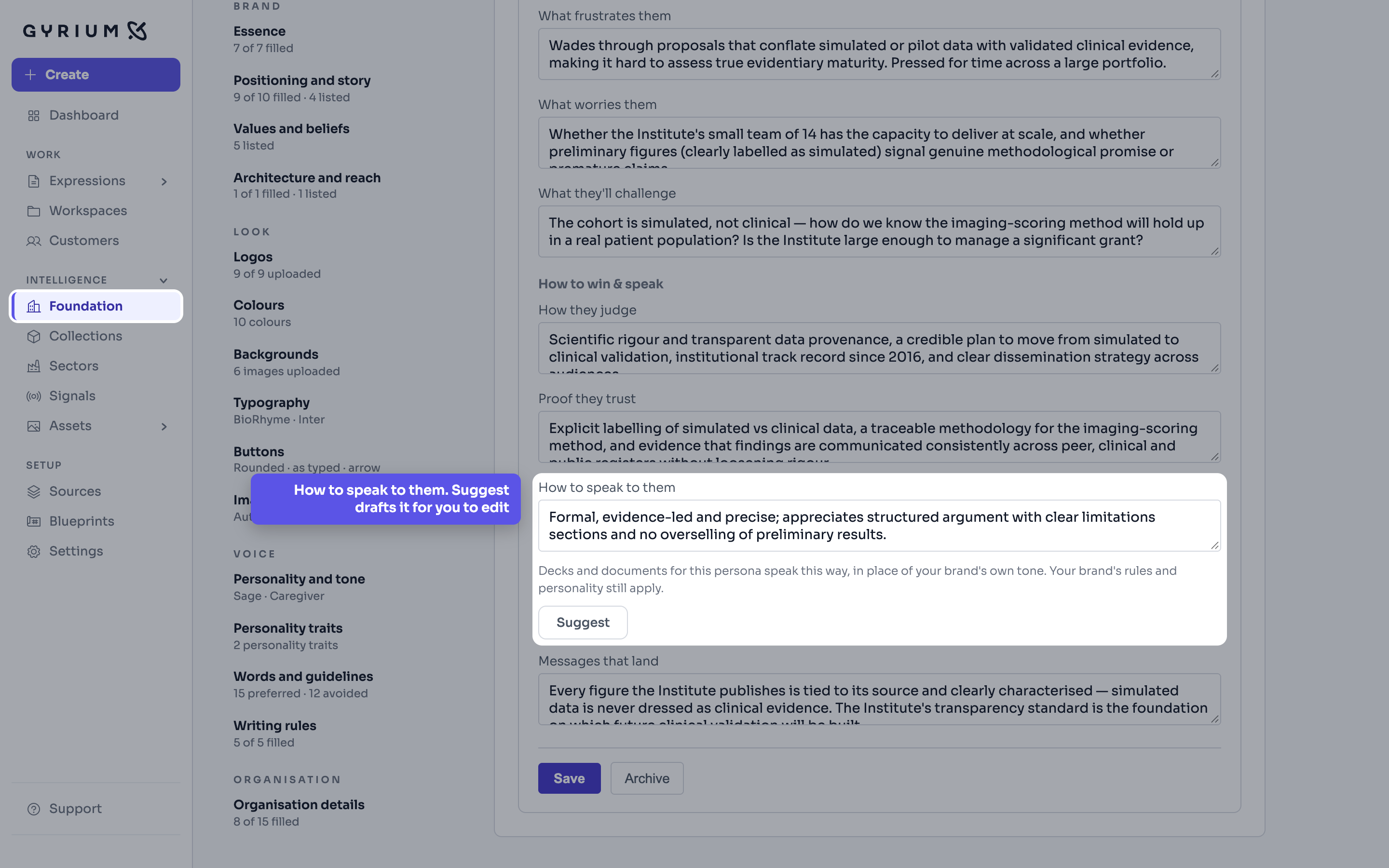
  3. For investors and your own executives, say how to speak to them, or let Suggest draft it for you to edit. A deck or a document for them takes that voice, and your brand's rules still hold.
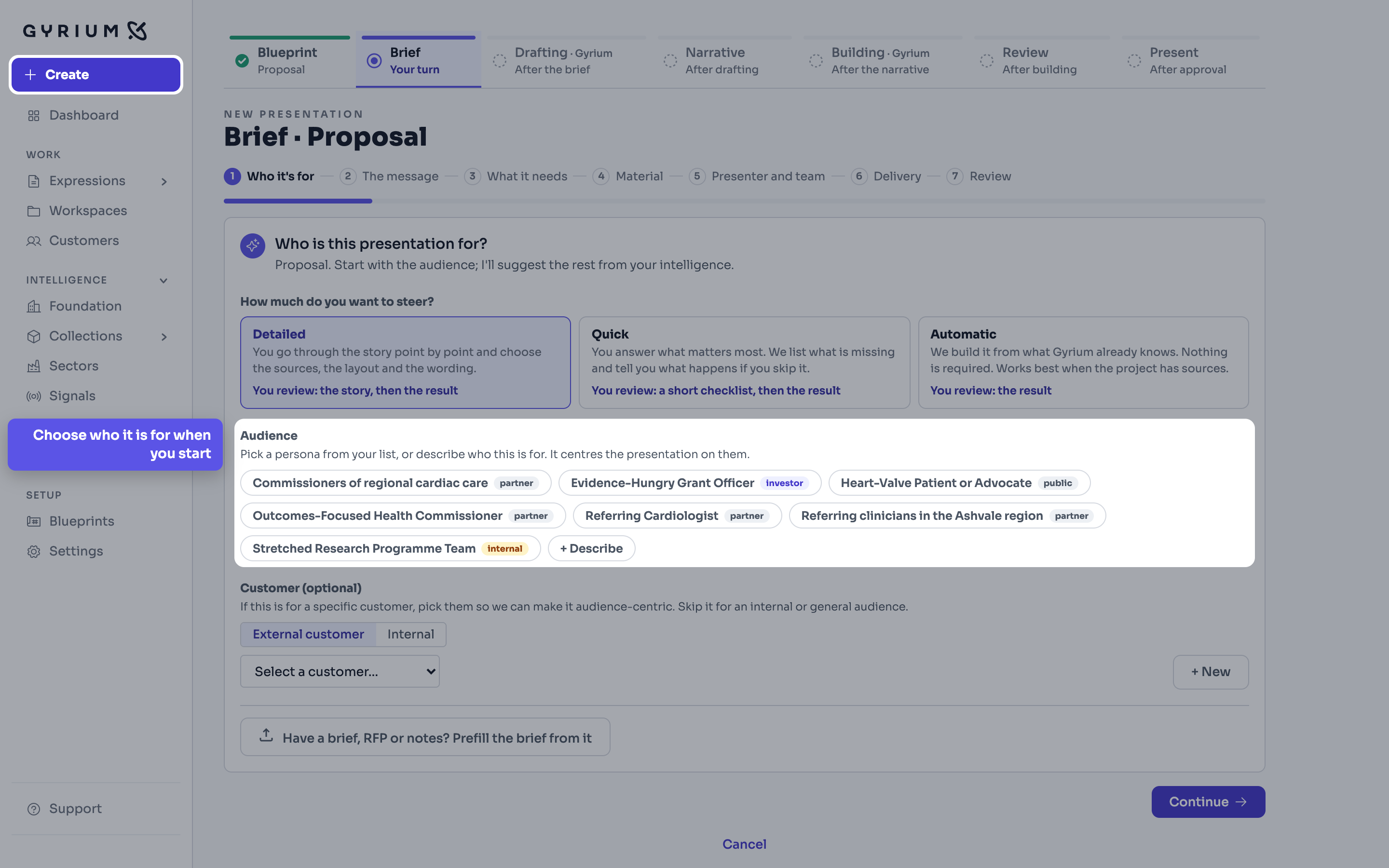
  4. Choose the audience when you start something new. The brief tells you which voice the piece will use.
  5. Gyrium then plans the piece for that person, before a word is written.
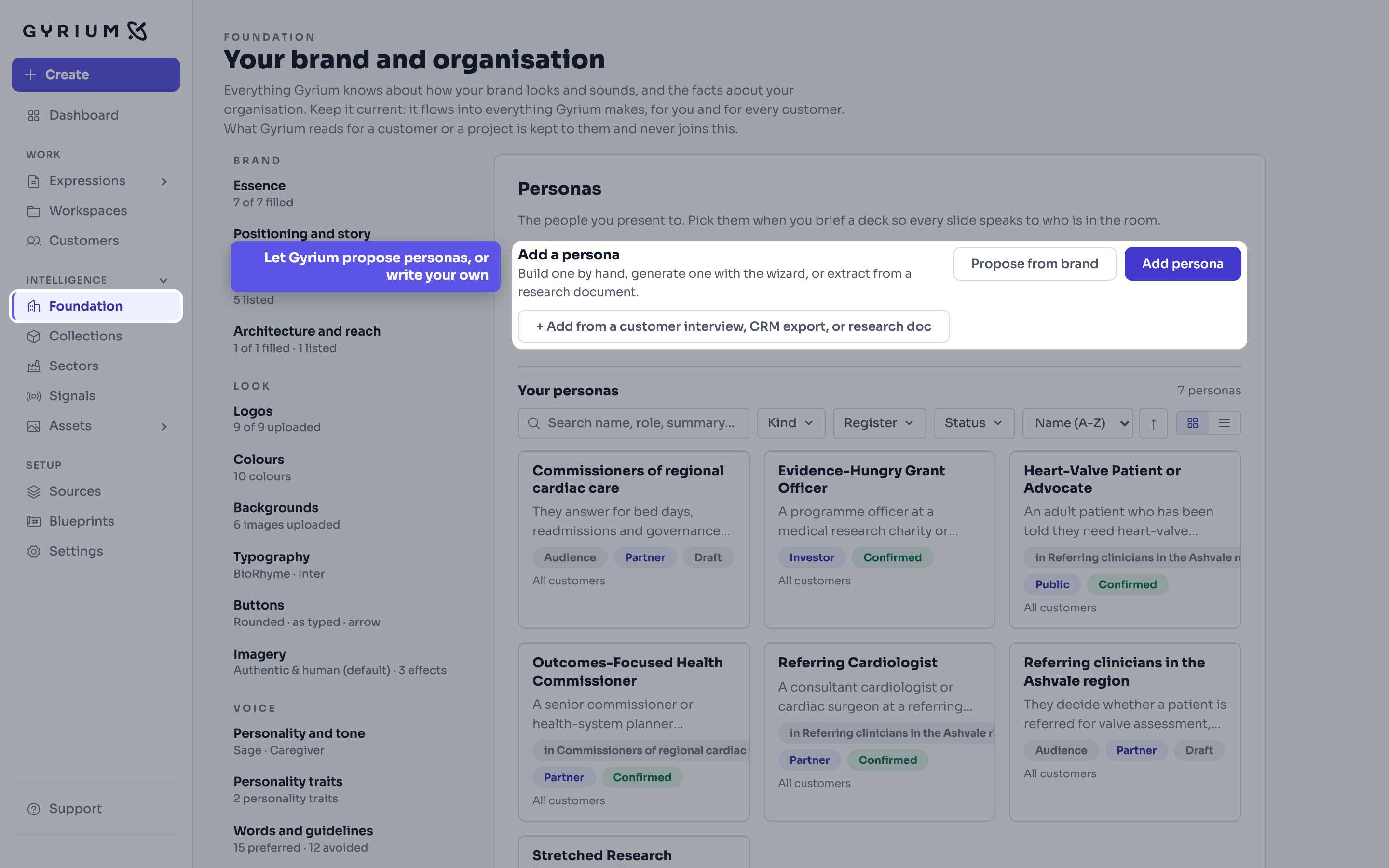
Gyrium, full screen with the menu on the left. Foundation is open on Personas. The Add a persona block is picked out, with Propose from brand, Add persona, and a way to add one from an interview or research document. The callout reads: Let Gyrium propose personas, or write your own.
Step 1Foundation, Personas · Propose from brand, or add your ownDemo: a fictional cardiovascular research institute, with simulated figures.
Gyrium, full screen with the menu on the left. A persona, Evidence-Hungry Grant Officer, is open for editing. The block What drives them is picked out, with what they want and what moves them. The callout reads: Refine each one until it reads like someone you know.
Step 2Foundation, Personas, one persona · What drives themDemo: a fictional cardiovascular research institute, with simulated figures.
Gyrium, full screen with the menu on the left. The same persona, scrolled down. The field How to speak to them is picked out, with its note that decks and documents for this persona speak this way, and a Suggest button. The callout reads: How to speak to them. Suggest drafts it for you to edit.
Step 3Foundation, Personas, one persona · How to speak to themDemo: a fictional cardiovascular research institute, with simulated figures.
Gyrium, full screen with the menu on the left. Create, on the first step of a new proposal. The Audience list is picked out, showing each persona with its register, and the Create button in the menu is highlighted. The callout reads: Choose who it is for when you start.
Step 4Create, the brief · Choosing the audienceDemo: a fictional cardiovascular research institute, with simulated figures.
What this uses

See it hold your own work.

The pilot takes a small number of organizations at a time. Bring what you already have.