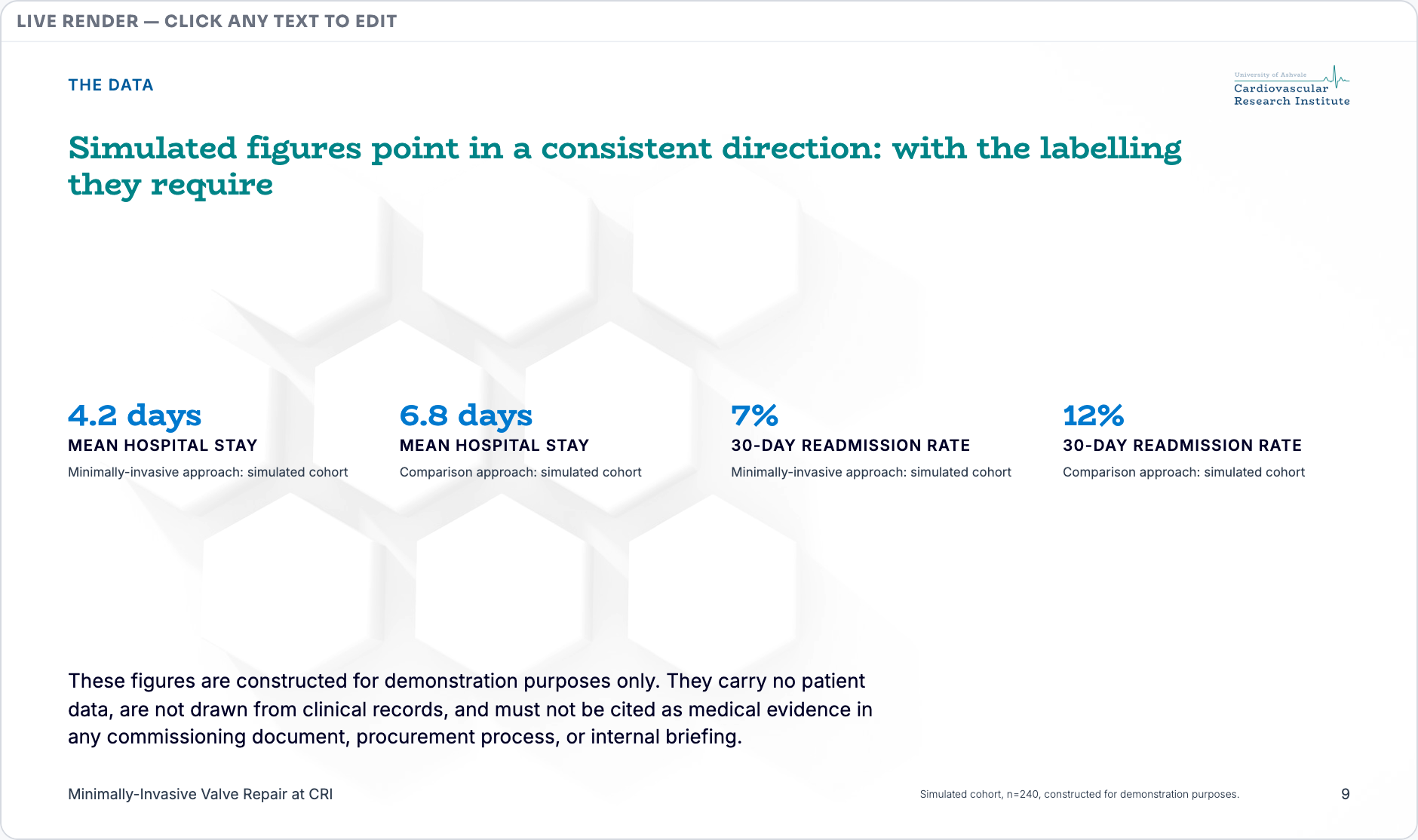
Edit an Expression the way you would a page, by moving blocks around. Nothing has a position, which is why the same content still works as a deck, a document, an email and a page.
Everything Gyrium makes is a stack of blocks. A heading is a block. So is a quote, a set of metrics, a list of steps, a comparison, a team, a table, a chart, a diagram, a wall of logos. Twenty kinds in all, and one editor for them, whether you are working on a deck, a document, an email or a web page.
A slide in Edit · click any text on the slide to change itDemo: a fictional cardiovascular research institute, with simulated figures.
02Why it matters
People already know how to do this. A block editor is the one interface everyone has met, and it is why the person who owns the content can change it without booking time with a designer.
What you do not get is the thing that usually comes with it. In a page builder you move pixels: drag a box, nudge it, pick a colour. What you end up with is a picture of a document. It looks right on the screen you built it on, and then a phone arrives, or the brand changes, or somebody needs it as a PDF.
Here you move meaning. There is nothing to drag and no position to set, so the same content lays itself out for a slide, a page and an email, takes your new colours the day you change them, and leaves an export as real text a screen reader can read.
03How it works
Add a block and say what kind of thing it is. Move it up, move it down, delete it, put it back. Name the section, choose the background, and either pick the layout or let Gyrium pick one from what the piece now carries.
The layout follows the content, so a slide that grows a fourth step gets a layout that holds four. Reordering is safe, because the renderer finds each block by what it is and never by where it sits.
A block carrying a picture or a chart carries its source with it, and a picture without a credit is flagged as unattributed until it carries one.
Add, move or delete blocks until it says what you need.
Name the section and choose the background.
Pick a layout, or let Gyrium pick from what the content is.
Sign it off. Nothing is published or shared until you do.
To let the audience reach you, add a QR code to a slide, usually the last one. In Edit, choose QR code under Add a block. Under Where the code leads, choose one of your published forms or pages (a form made in Form Studio, such as the Contact after a presentation template), or paste a link and choose Use this link. Write The line beside the code, for example "Scan to get in touch". The code is drawn black on a white tile on any background, with the page's address beside it for whoever cannot scan. Someone who scans it and sends the form shows up in that form's Responses marked "Via deck" and the deck's code, so you know which presentation they came from. The code shows on the closing slide, on a statement slide, beside a title and paragraphs, and beside bullets.
05Q&A
This looks like a website builder. Is it one?
It borrows the part people like, which is seeing the pieces and moving them. It leaves out the part that causes trouble later, which is placing things by hand. Nothing here has a position, so the same content still works as a slide, a page, an email and a PDF.
Can I drag a block exactly where I want it?
You can move it up and down the order. You cannot pin it to a spot on the page, and that is deliberate. The moment a person places something by hand it stops re-laying itself at a different size and stops taking a new brand. It has quietly become a picture.
Do I need a designer to change something?
To change the content, no. The brand is applied by the system, so there is no way to knock an Expression off-brand by editing it.
What if I move something and the layout no longer fits?
The layout is chosen from what the content is, so it follows you. When a layout can no longer hold everything, Gyrium says so and offers one that can.
Is it the same editor for a deck and an email?
The same one. A block means the same thing wherever it lands; only the rendering changes.
06Limits & not-yet
There is no free-form canvas here: every block is drawn from your brand. Vertical spacing follows the grid less strictly than horizontal spacing does. A layout you pinned stays pinned only while it can still hold every block.