What formats can I produce?
Presentations, documents (one page or longer), web pages with forms, emails, social posts, and branded charts and tables.
The work you actually ship. An Expression is a rendered view of your intelligence, in your brand.
Learn next: Strategic Composition · Brand System & Render Engine · Filing and share links
An Expression is something your organization makes from its knowledge. Presentations, proposals, reports, documents, web pages, emails, social posts, charts and tables can all be Expressions. The format changes. The knowledge beneath it does not. The name is deliberate: a document is a temporary expression of what your organization knows, and the intelligence beneath it is permanent.
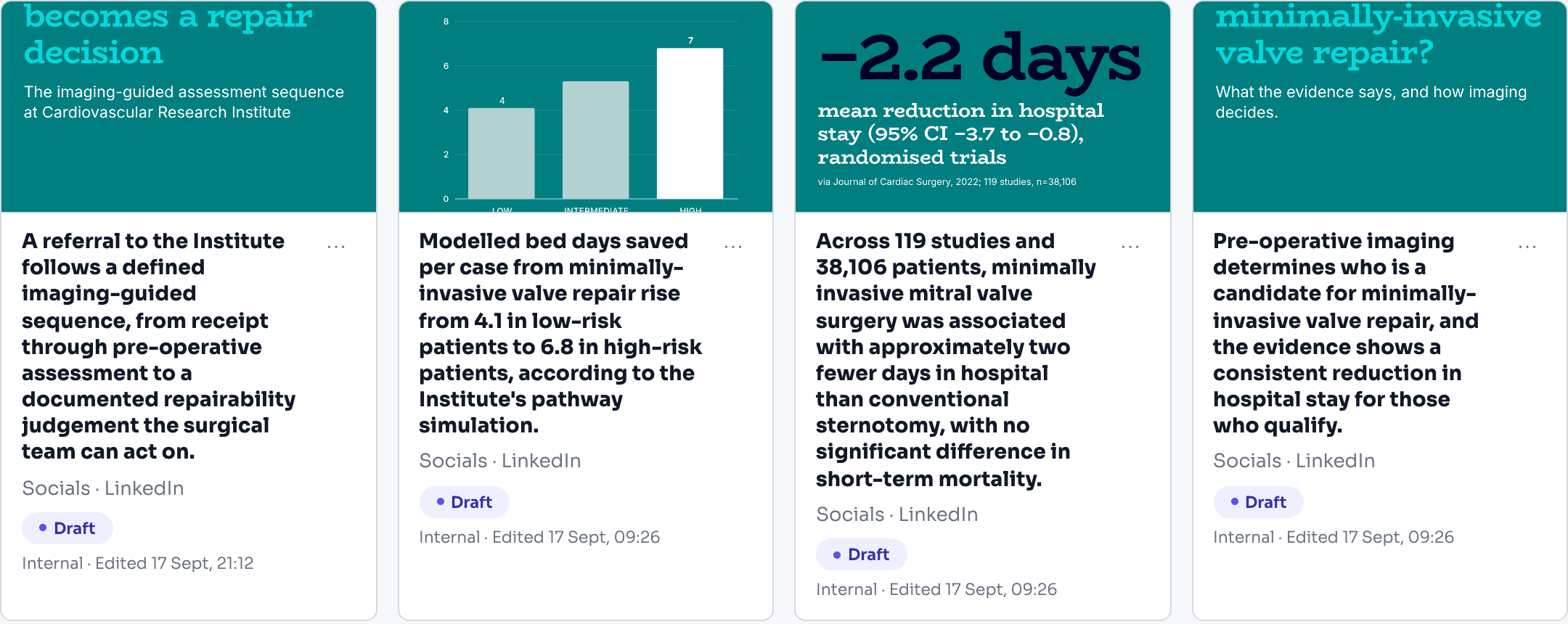
Nobody wakes up wanting an intelligence base. They want the proposal out the door and the board deck ready. Every Expression is drawn from the same foundation, designed around its takeaway, and rendered in your brand, so the work you ship is consistent and current.
An Expression is composed as meaning first: a heading is a heading, four steps are four steps, and the layout is chosen afterwards from what the content turned out to be. That is why a four-phase methodology arrives as four phases. It is no longer possible to lose one to a three-part layout, because the count belongs to your content and never to the shape it is poured into. Nothing is bound by position either, so a half-filled card cannot shunt the ones after it.
The composition pipeline is format-agnostic until it renders. Slides render through the engine, documents compose end to end, social renders to per-channel masters. Each Expression comes out in its own format: a deck or a document as a PDF, a document also as a Word file, a web page or an email as HTML, and a social post as images. It files itself by context, and shares as a governed read-only link.
Every Expression that asks the reader to get in touch says who to contact. The closing slide, the last page of a document, the footer of a web page and the sign-off of an email name somebody: the person named in the brief, or your organization's own email address, phone number and website. Gyrium prints only contact details it is sure of. If your organization has two different email addresses on file, it prints neither, and the review tells you which one to settle. Settle it once and every format shows it. The call to action that closes a document can carry a link, a booking page for instance, and the reader can follow it.
Every Expression under review carries a short list of tips, and it says nothing when there is nothing to say. A deck, a document, a web page and an email can each be drawn again with your current brand, and each points out any word your brand never uses. A deck, a document and a web page can look again for pictures where a space is still empty. A deck or a document tells you when a fact it was written from has changed, and rewrites the one slide or section that rests on it when you ask. A web page or an email tells you when a fact it cites is no longer on file, and one block can be rewritten from the brief or from current facts, keeping your hand edits. Every format also tells you when a fact it cites is in dispute: two facts on file disagree, and nothing Gyrium writes uses either until someone settles them. A rewrite from the tips clears the row it was pressed on. A deck also offers presenter notes for the slides that have none, and redraws a chart whose table has moved.
The galleries show the work itself. Each card carries a picture of its Expression: the first slide with a picture on it, the opening of a web page, the cover of a document. A reviewer can choose a different slide for the card.
Only live work is in view. Galleries and the dashboard leave out what was archived or cancelled, and one click brings it back. When a deck is reworked, the page made alongside it from the same brief is archived, so nobody reviews the version the deck has moved on from.
Presentations, documents (one page or longer), web pages with forms, emails, social posts, and branded charts and tables.
A rendered view of your organizational intelligence. The file is a moment; the knowledge beneath it keeps moving.
From the person named in the brief, or from the contact details your organization keeps in Gyrium: email address, phone number, website. Gyrium never makes one up.
Because two different addresses are on file and Gyrium will not guess between them. Choose one under Organization, in Locations and Contact, and it appears on every Expression.
Yes. In the slide review, pick the slide you want as the card's picture. Until you do, Gyrium picks the first slide with a picture on it.
A document can be downloaded as a Word file. A deck leaves as a PDF, with a separate presenter handout, and single slides as images; an editable presentation file is not something we produce today.
Yes. A split-screen present mode gives you presenter notes, delivery tips, and the sources behind each slide, while your audience sees only the finished piece. You can also take it away as a PDF.
A copy you already shared or published keeps what it had until you publish it again. In a document, a table, a figure or a card whose facts moved is named for you to correct by hand; only running text is rewritten. A gallery card shows a placeholder pattern until its review has been opened once.
Win the business
Bring the team and partners along
Where the work lives, so it files itself.
The deck you always reach for, kept as a shape the whole team can build to.
Full screen for the room, your notes on your own laptop, and a notepad for what the room asks.
A link to one named person, and their comments come back onto the work.
A PDF of a deck or a document, a Word file of a document, and the images of a social post.
Every piece of work, and the one waiting on you.
The work that is actually waiting on a person.
A person approves the thinking behind a deck or a document, and a person approves the finished piece.
Send it to the person it is actually about.
Strategy before words. Gyrium sets the objective, the narrative, and the structure before it composes, grounded in your intelligence base.
It doesn't export, it renders. Everything you make is assembled from your knowledge and rendered in your design system, element by element.
Every Expression files itself by context and names itself properly, and shares as a read-only, on-brand link you can revoke.
The pilot takes a small number of organizations at a time. Bring what you already have.