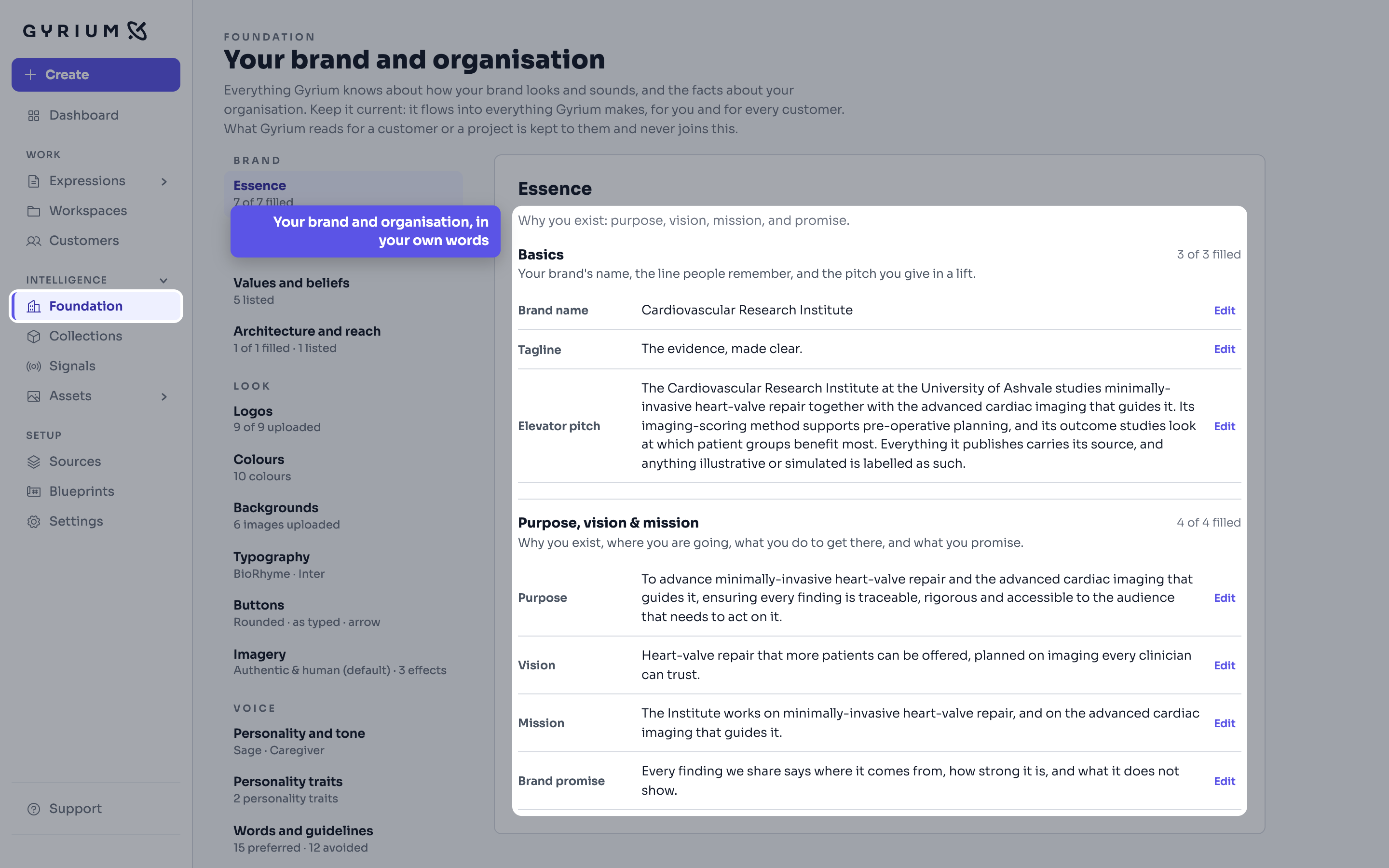
Everything starts here. Gyrium reads what you already have, your documents, your website and your spreadsheets, into facts that each keep their source, and holds them beside your brand, your people and your audiences. Collections gather one subject, and signals keep outside research apart from your own facts. Every piece you make draws on this.
Ask a question and get an answer built from what your organization actually knows, with the sources it came from.
A collection gathers what your organization knows and says about one topic, such as safety or a law you work under, apart from what you sell, so a piece can be about that topic with or without a product.
A spreadsheet stays a spreadsheet. Gyrium reads it, understands its units, and states what it says, without shredding the grid into loose facts.
File your offerings under labels in groups, give each kind of offering the fields it records, and fill both by hand or from a spreadsheet.
The memory of your organization. Everything it knows, captured as sourced facts, structured by a curated taxonomy, and available to everything you make.
Who you are talking to, as an audience and the people inside it, held as part of your intelligence so strategy is set against someone real.
Every product or service you sell gets its own page, with its article number, attributes and the facts that belong to it alone.
The industries your customers work in. Put what is true of a sector in one place, give a customer its sectors, and every piece made for that customer draws on them.
What is happening outside your organization, captured beside what you know about it, so external context carries a source.
Everything you offer as one tree, grouped the way you group it, shaped in Foundation and worked on under Our offer, with your own names for its levels and for the kinds of thing you offer.
Two charts show how your facts and assets grew, from the first one to now, for the period you choose.
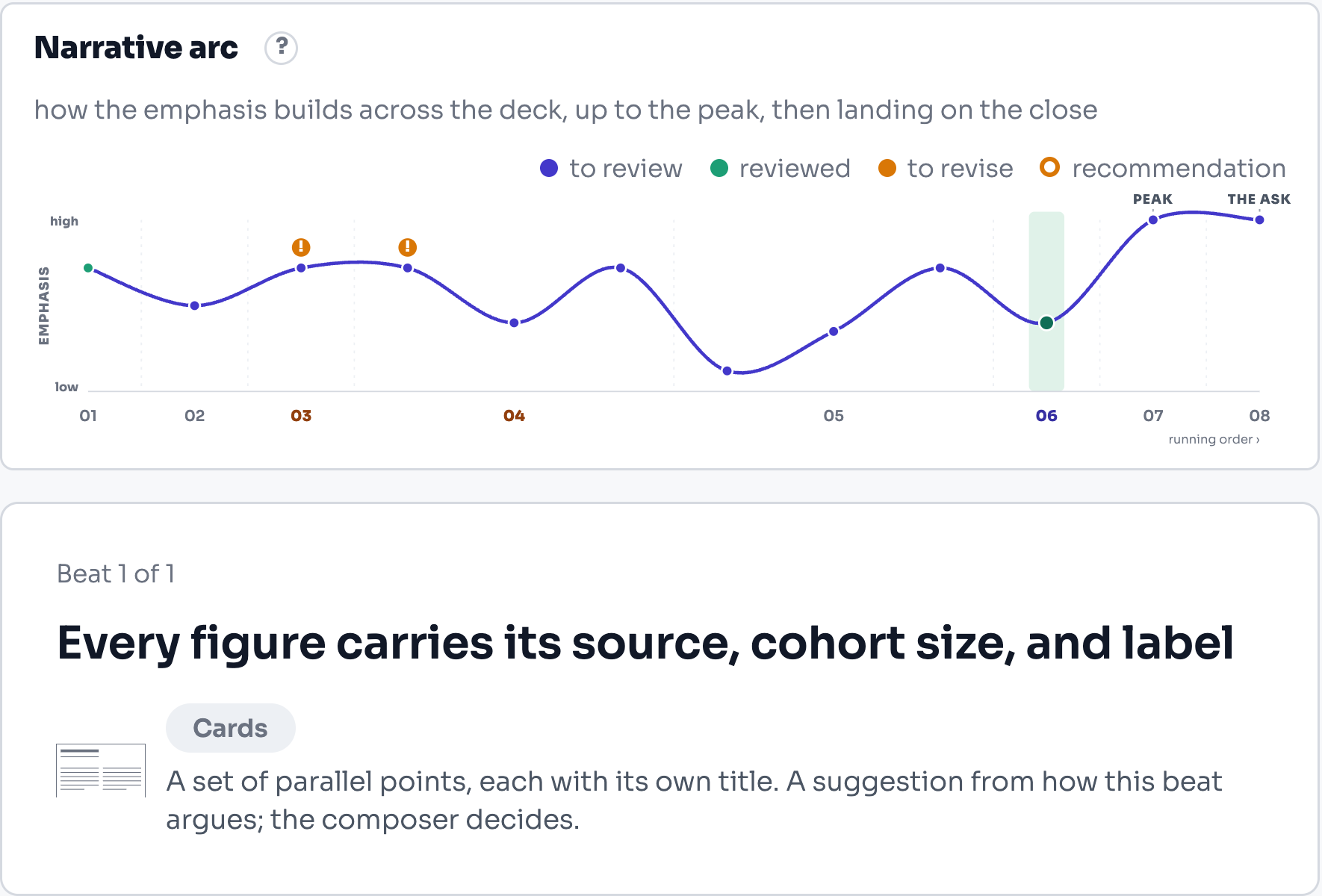
A piece begins with a brief and a blueprint. Gyrium sets the point it has to make and the arc that carries it, a person approves that thinking, and only then is it written: from your facts, in your voice, in whatever format the reader needs.
A blog post written for the persona you choose, in your voice and your Writing rules, from your own facts.
The shape behind a kind of work, held once so everyone composes to it. Build one from a few questions, or take it from a piece that already works.
A finished project writes its own case study, from its own record, into the proof the next proposal quotes.
Compose email that is grounded in your intelligence and rendered in your brand, reviewed the same way everything else is.
The work you actually ship. An Expression is a rendered view of your intelligence, in your brand.
Every expression keeps its brief, social posts included, and one button under the summary shows every question with the answer you gave.
A picture's credit follows its rights. Your own pictures carry none on the slide and are described by what they show; someone else's are credited to their photographer or source.
Present the deck from Gyrium itself. The room sees the slide; your own screen carries the notes and what comes next, and every note you take while talking is filed with the slide you were on.
Take a finished deck or document and change the persona, the customer, the call to action or the product. Only what you change is rewritten. Another customer's facts never come along.
Mark the work that landed. A starred slide or section can be offered to everyone in your organization, so the good version stops being the one person who remembers it.
A blank page in your house style, opened straight in its editor. You write it; nothing is written for you.
Bring a text you already have, keep it in a project, and check it, rewrite it in your house voice, or turn it into a piece.
Strategy before words. Gyrium sets the objective, the narrative, and the structure before it composes, grounded in your intelligence base.
The same people turn up in the pitch, the proposal, the landing page and the sign-off. Hold them once, and every one of those is right.
Edit an Expression the way you would a page, by moving blocks around. Nothing has a position, which is why the same content still works as a deck, a document, an email and a page.
Publish web pages and landing pages, with embedded forms that collect responses, composed from your knowledge and in your brand.
Some parts of a piece deserve their own workbench: a chart from a spreadsheet, a table, a diagram, a picture, a form, a social post. Each studio makes that one thing in your brand and hands it to the rest of the work.
Capture and develop concepts in a dedicated space, ready to become an Expression.
Turn a spreadsheet into a branded, accessible chart, ready to place in a deck or a report.
Prepare and enhance images, and bake the result into an asset ready for an Expression.
Put your offices, projects or markets on a map drawn in your brand, and Gyrium uses it wherever a slide or document asks for that map.
Build the diagrams that explain how something works, in your brand, from a structure you define.
Social posts composed as designed scenes, with figures, charts and logos drawn in your brand, and channel-native captions and alt text.
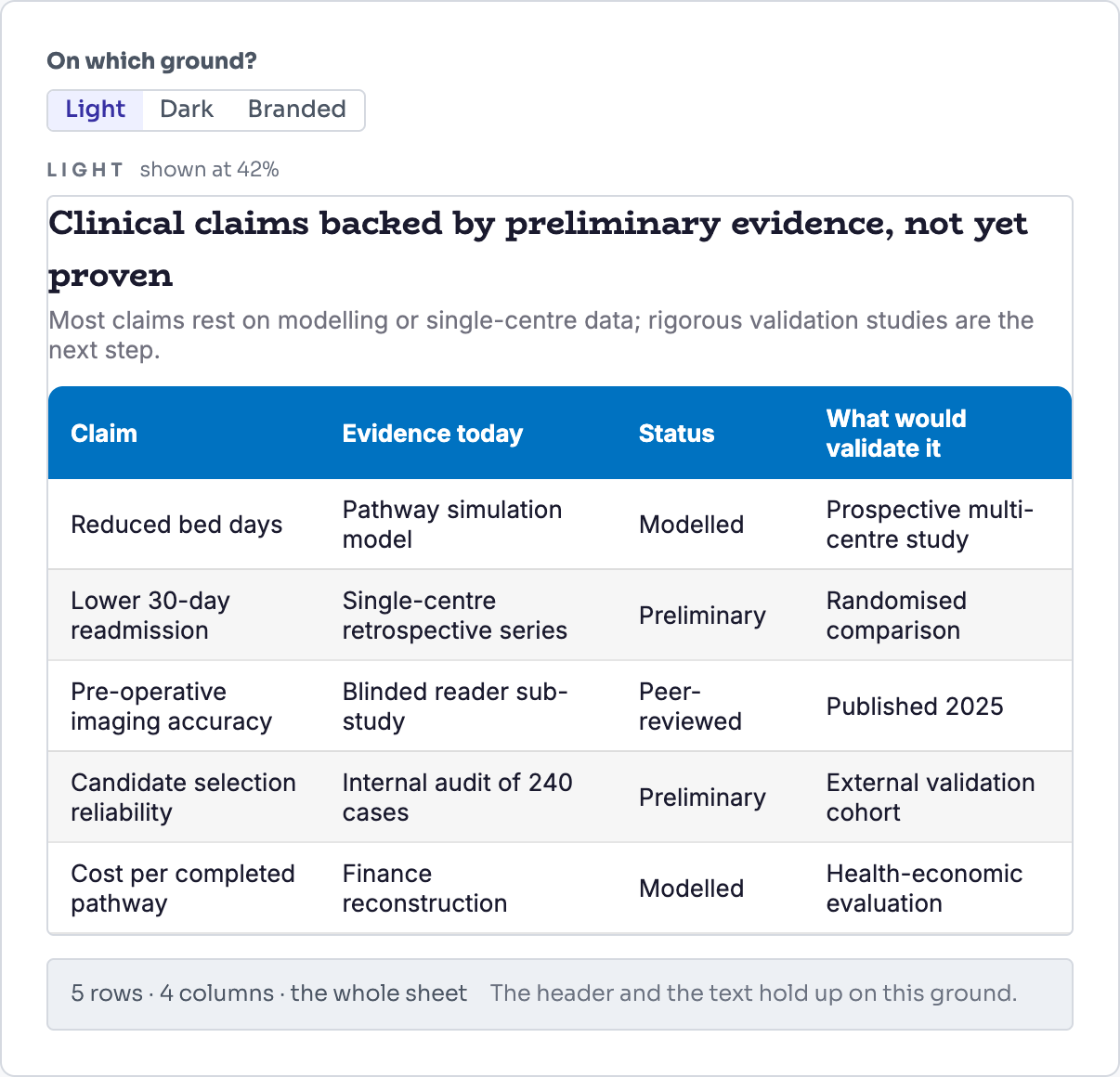
Clear, accessible, on-brand tables composed from your data.
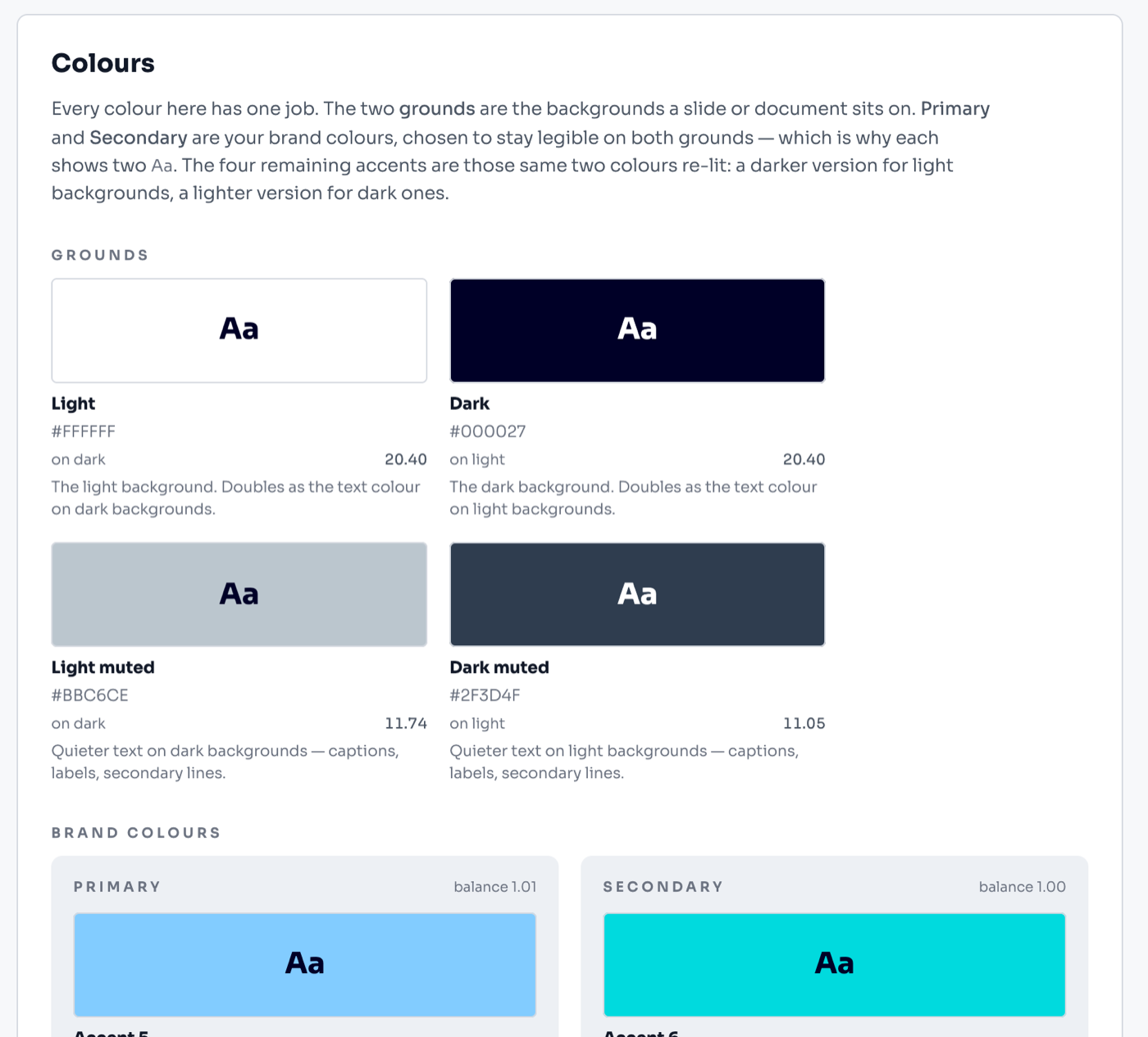
Your colours, type, logos, buttons and image style are set once, and every format wears them. The asset library holds the pictures, logos and people the work draws on, each described so the right one is found.
Gyrium finds a customer's logo on their own website and keeps the one you pick, ready for every logo wall that names them.
Your images, logos, and graphics, indexed by what they show and scoped to where they belong, ready while you compose.
Say how your brand sounds once, as an archetype, a few lines and three tone scales, and every deck is written in that voice.
It doesn't export, it renders. Everything you make is assembled from your knowledge and rendered in your design system, element by element.
Paste any text and see, word by word, where it breaks your brand's word rules. Free, and no AI is involved.
A deck's cover, each chapter start and its closer drawn as a full plate in your exact brand colours, with a large chapter number, icon or brand mark.
Upload your brand's own font files, and every deck, document, web page and post Gyrium makes uses them.
Work lives in workspaces: a project, a customer, a campaign. Each piece shows where it stands, a person signs it off before it is published or shared, and the record says who signed what, and when. Your organization's data is kept apart on every request.
Search a source's facts, tick the ones that do not belong, and archive them in one go. Each archive can be put back for 30 days, and the list says exactly which facts it took.
Who you are talking to, where each conversation stands and what you owe them next, kept beside the knowledge you would answer them with.
Discussion where the work is. Comment on anything, bring in the person who needs to see it, and resolve it when it is settled.
People who work with the data and write by hand, without AI and without a seat.
Credits measure what making Expressions costs, with the price shown before you make one and every credit added or spent listed where you can read it.
Everyone you deal with at a customer, each with a role in your own words.
Record what a customer agreed to be shown as, and Gyrium puts them on logo walls, and their logo under their quotes, only that way.
Gyrium approves the facts it is sure of on its own. Your admin decides only on the doubtful ones and on what the team proposes for the Foundation.
Every Expression files itself by context and names itself properly, and shares as a read-only, on-brand link you can revoke.
One search from the workspace you are in, by name and inside every source Gyrium has read, and one click to connect what you find.
Save the whole Foundation under a name, for example on the day it was delivered, see what has changed since, and go back to it part by part. Gyrium also saves it every week.
One source of truth. Sourced, isolated, approved, versioned, exportable, and owned by the customer.
The language Gyrium's own screens are in, chosen by each person for themselves, separate from the language of what they create.
When someone leaves, their name can leave with them. When an organization leaves, it gets its data back and then nothing of it stays behind.
Anyone can report a screen text that is translated badly, from the same corner as support, and the report arrives with the matching text already found.
Built-in support: diagnose, raise a ticket, classify, and run it all from an operator console.
Change a fact and Gyrium finds every signed-off or published piece that used it, says so at once, and asks the people responsible to review each one.
A workspace is one initiative: a project, a customer or a campaign, with everything made for it gathering there on its own.
Published pages and their forms can run on an address of your own, on a subdomain of your organization's own domain.